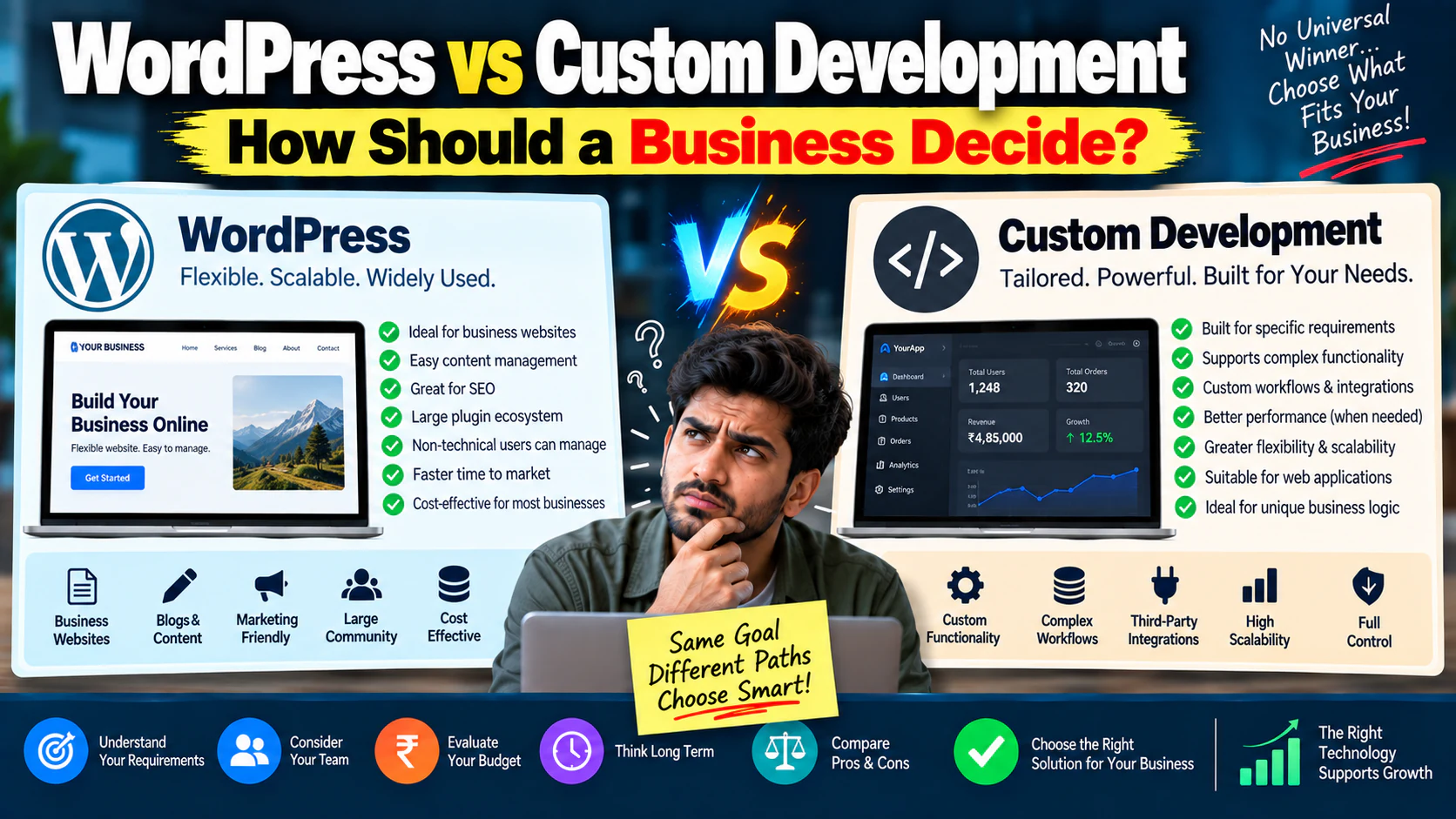
One of the first questions businesses ask when building a website is:
“Should we use WordPress or build it custom?”
And almost immediately, the discussion becomes technical.
WordPress.
React.
PHP.
Next.js.
Headless CMS.
Custom backend.
APIs.
Hosting.
Developers start discussing technology stacks while the business owner is still trying to answer a much simpler question:
The truth is, there is no universal winner.
WordPress is not automatically the “cheap option.”
Custom development is not automatically the “professional option.”
The right decision depends on:
- What the website needs to do
- How much customization is required
- Who will manage it
- How important SEO is
- How much traffic you expect
- What integrations are needed
- How quickly you need to launch
- Your long-term budget
- How complex the user experience is
The goal isn't to choose the most advanced technology.
WordPress vs Custom Development: The Short Answer
A simplified rule:
Choose WordPress when:
- You need a business website
- Content publishing matters
- SEO is important
- Marketing teams need to edit pages
- You need to launch relatively quickly
- Standard integrations are sufficient
- Your functionality is relatively straightforward
Consider custom development when:
- You need highly specific workflows
- The website is effectively a software product
- Complex user roles are required
- You need unusual business logic
- Existing platforms cannot support the requirements
- Performance or architecture requirements justify custom engineering
- You need deep integration with proprietary systems
But there's an important third option:
Use a hybrid approach.
For example:
for marketing content
for customer-specific functionality.
You don't always have to choose one technology for everything.
First Understand What “Custom Website” Actually Means
“Custom development” is often used as if it means one specific technology.
It doesn't.
Custom development simply means the website or application is built specifically around your requirements rather than relying primarily on an off-the-shelf website structure.
That could involve:
- Custom frontend
- Custom backend
- Custom database
- Custom APIs
- Custom business logic
- Custom admin panels
- Custom integrations
The technology stack can vary.
So the real comparison isn't:
It's:
WordPress Is More Than a Template
A common misconception is:
“WordPress means using a template.”
Not necessarily.
WordPress can support:
- Custom designs
- Custom themes
- Custom content structures
- Custom plugins
- Custom integrations
- Advanced SEO setups
- E-commerce
- Memberships
- Booking systems
- Lead generation
- Multilingual websites
The question isn't whether WordPress *can* do something.
The question is whether WordPress is the right architecture for doing it reliably.
Custom Development Is More Than “A Better Website”
Custom development also gets misunderstood.
Some businesses think:
“If we build custom, our website will automatically be faster, better and more secure.”
Not necessarily.
Custom code gives you more control.
But more control also means:
You have to think about:
- Architecture
- Security
- Updates
- Hosting
- Database management
- Deployment
- Testing
- Monitoring
- Documentation
- Maintenance
Custom doesn't remove complexity.
It gives you the ability to design that complexity around your actual requirements.
Start With the Business Requirement
Before selecting WordPress or custom development, classify the website.
Type 1: Marketing Website
Purpose:
- Explain the company
- Promote services
- Generate leads
- Publish content
WordPress can often be an excellent fit.
Type 2: E-commerce Website
Purpose:
- Sell products
- Manage orders
- Process payments
- Manage inventory
An established e-commerce platform or CMS may be appropriate.
Type 3: Customer Portal
Purpose:
- Login
- View personal information
- Manage requests
- Download documents
Custom functionality may become more relevant.
Type 4: SaaS / Web Application
Purpose:
- Users interact with a software system
- Data is personalized
- Complex workflows exist
Custom development is often more appropriate.
The project type matters more than the technology label.
The First Decision: Content or Functionality?
Ask:
“Is the website primarily publishing information, or is it primarily performing processes?”
If the answer is:
WordPress becomes attractive.
If the answer is:
custom development becomes more attractive.
For example:
Website
“Read about our services.”
Application
“Create an account, configure a service, pay for it, track progress and download reports.”
That's a very different technical requirement.
WordPress Is Usually Strong for Content-Heavy Businesses
Imagine a service company wants:
- Homepage
- About page
- 15 service pages
- 10 industry pages
- Case studies
- Blog
- Resources
- Contact forms
- SEO landing pages
The marketing team wants to publish:
They want to update:
- Service descriptions
- Case studies
- FAQs
- Images
- CTAs
This is exactly where a CMS-oriented system can be useful.
The business doesn't need to rebuild its software every time someone publishes a blog article.
Custom Development Makes More Sense When the Workflow Is the Product
Imagine you're building a platform where users:
- Create an account
- Select a service
- Configure requirements
- Upload documents
- Receive a dynamic quote
- Pay online
- Track project status
- Communicate with staff
- Download reports
That's no longer just a content website.
The workflow itself is the product.
Custom architecture may make much more sense.
Don't Choose Custom Just Because You Want Something “Unique”
A website can look completely unique while using WordPress.
Visual uniqueness and technical architecture are separate decisions.
You can create:
with
without building the entire backend from scratch.
If your actual requirement is:
“We want our website to look different from competitors.”
that alone isn't a reason to choose custom development.
Don't Choose WordPress Just Because It's Popular
Popularity doesn't automatically mean suitability.
Suppose your project needs:
- Complex real-time calculations
- Multiple user roles
- Advanced permissions
- Highly customized workflows
- Large amounts of structured data
- Complex API interactions
- Specialized dashboards
If you're forcing all of this into WordPress because:
“Everyone uses WordPress,”
you may be creating technical debt.
Choose based on requirements.
Cost: WordPress vs Custom
The initial cost can vary dramatically depending on:
- Number of pages
- Design complexity
- Functionality
- Integrations
- Content requirements
- Custom development
- Testing
- Hosting
- Maintenance
A basic WordPress website might be relatively affordable.
A heavily customized WordPress website can become expensive.
Likewise, a simple custom website may be manageable, while a complex custom application can require a substantial engineering budget.
So:
and
The scope determines the cost.
Think About Total Cost of Ownership
Don't compare only the development quote.
Consider:
Initial build
₹X
Hosting
₹X/year
Plugins/services
₹X/year
Maintenance
₹X/month
Security
₹X/year
Developer support
₹X/month
Future development
₹X
Now compare the 3-year cost.
For example:
Option A:
Three-year approximate cost:
Option B:
Three-year approximate cost:
But if Option B saves ₹4 lakh/year in manual operations, the calculation changes.
Always connect technical cost to business value.
Time to Launch
WordPress can often accelerate projects because many standard capabilities already exist.
You don't need to engineer:
- Basic CMS functionality
- Basic publishing
- Basic media management
- Basic forms
- Standard content workflows
from scratch.
Custom development can take longer because more components need to be designed, developed and tested.
If your business needs to launch within six weeks, architecture should reflect that reality.
But Speed Shouldn't Mean Cutting the Foundation
Launching quickly doesn't mean:
- No SEO structure
- No analytics
- Poor mobile experience
- No backups
- No security
- No conversion tracking
- No performance optimization
A fast launch with a broken foundation can create months of problems later.
The goal is:
Content Management: Who Will Update the Website?
This question is frequently ignored.
Ask:
“Who will manage the website six months after launch?”
If the answer is:
then a strong CMS workflow becomes important.
The team may need to:
- Publish blogs
- Update service pages
- Change FAQs
- Add case studies
- Update images
- Create landing pages
If every change requires a developer, your marketing velocity slows down.
WordPress Can Give Marketing Teams More Independence
For content-heavy businesses, this can be a major advantage.
Imagine the marketing team discovers:
“We need a new industry page for manufacturers.”
With a practical CMS workflow, the team can create or edit the page without waiting for a developer for every small change.
That's not merely convenience.
It's an operational advantage.
Custom Systems Can Also Have Excellent Admin Experiences
Custom doesn't automatically mean:
“Only developers can update it.”
A properly designed custom application can include a powerful admin interface.
The difference is that you have to build that system.
For example:
The flexibility is high.
So is the engineering responsibility.
SEO: Which Is Better?
There is no universal answer that:
“WordPress ranks better.”
Search performance depends on the overall implementation.
A website needs:
- Crawlable architecture
- Good content
- Relevant pages
- Strong internal linking
- Clean URLs
- Good performance
- Mobile usability
- Proper indexing
- Structured data where appropriate
- Quality backlinks
- Strong user experience
A badly built WordPress website can perform poorly.
A well-built custom website can perform extremely well.
The platform is only one part of the system.
WordPress Can Be Excellent for SEO—If Properly Configured
For content-driven businesses, WordPress can make publishing easier.
You can build:
This supports a scalable content strategy.
But installing a plugin and assuming:
“SEO is now done”
is a mistake.
Technical implementation and content strategy still matter.
Custom Development Can Be Excellent for SEO Too
A custom website can provide precise control over:
- URL architecture
- Rendering
- Performance
- Metadata
- Structured data
- Content models
- Internal linking
- Technical SEO
But that control has to be intentionally engineered.
Custom code does not automatically produce SEO-friendly code.
Performance: WordPress vs Custom
Performance is often presented as:
That's an oversimplification.
A WordPress website can be fast if:
- Hosting is appropriate
- Images are optimized
- Scripts are controlled
- Plugins are carefully selected
- Caching is configured
- The theme is well built
- Unnecessary functionality is removed
Likewise, custom development can be slow if:
- The code is inefficient
- APIs are poorly implemented
- Assets are oversized
- Database queries are inefficient
- Rendering is poorly designed
Performance is an engineering outcome.
Not simply a platform label.
Plugins: Convenience vs Complexity
One of WordPress's biggest advantages is its ecosystem.
Need:
There's a solution.
There are solutions.
There are solutions.
There are solutions.
There are solutions.
But adding too many plugins can create problems.
Potential issues:
- Conflicts
- Security risks
- Performance overhead
- Compatibility problems
- Update dependencies
- Maintenance complexity
The rule should be:
Use plugins because they solve a business requirement—not because they exist.
Custom Development Has the Opposite Trade-Off
With custom development, you don't need a plugin for every requirement.
You can build exactly what is required.
But now you own the engineering.
If you need:
you may need to design and develop:
- Database structure
- Backend logic
- API
- Frontend
- Admin interface
- Permissions
- Testing
- Deployment
The flexibility is powerful.
The development responsibility is equally real.
Security: Don't Believe the Simple Myths
Another common argument:
“Custom is secure. WordPress isn't.”
Too simplistic.
Security depends on:
- Software maintenance
- Authentication
- Access controls
- Hosting
- Configuration
- Code quality
- Updates
- Monitoring
- Backup strategy
- Vulnerability management
A poorly developed custom application can be vulnerable.
A well-maintained WordPress website can be secure.
Security needs an actual process.
Scalability: What Does “Scalable” Mean?
Businesses often say:
“We need something scalable.”
Ask:
More:
- Pages?
- Traffic?
- Products?
- Users?
- Transactions?
- Data?
- Locations?
- Team members?
A website that needs to grow from:
has a different scalability problem from:
Define the type of growth first.
A Content Website Can Scale Without Becoming Custom Software
Suppose your website grows from:
to
That doesn't automatically mean you need custom development.
A properly planned CMS and information architecture can support substantial content growth.
The key is designing the structure correctly.
An Application May Need Custom Architecture Much Earlier
Suppose your business has:
and each customer has:
- Personal records
- Transactions
- Documents
- Permissions
- Reports
- Notifications
Now scalability involves databases, application architecture, caching, security and infrastructure.
That is a fundamentally different problem.
Integrations Can Change the Decision
Ask:
“What systems need to connect to the website?”
Examples:
- CRM
- ERP
- Payment gateway
- Inventory
- Accounting
- Booking
- Email automation
- Customer support
- Marketing platforms
- Internal databases
Standard integration?
WordPress may be sufficient.
Highly specialized integration?
Custom architecture may become more attractive.
But don't assume every integration requires custom development.
Many established platforms already have APIs and connectors.
The Question to Ask About Every Integration
Don't say:
“We need Salesforce integration.”
Instead say:
“When someone submits the website form, create a lead in the CRM with these fields, assign it to this team, and send this notification.”
Now the developer understands the actual requirement.
Architecture decisions become much easier.
Consider Your Internal Team
Technology should match the team that will maintain it.
If you have:
Marketing team + limited developers
A CMS-based system may be attractive.
If you have:
Dedicated engineering team
Custom architecture becomes easier to maintain.
The question isn't just:
It's:
Vendor Dependency Matters
Imagine your entire custom website is maintained by one developer.
Then that developer leaves.
Can another developer understand:
- The architecture?
- Codebase?
- Deployment process?
- Database?
- Integrations?
- Documentation?
If not, you've created a major business risk.
The same applies to WordPress.
Don't allow your website to become dependent on one person or agency.
Documentation Is Part of the Product
For complex projects, require documentation covering:
- Architecture
- Hosting
- Deployment
- Integrations
- Admin access
- Database
- Backups
- Third-party services
- Maintenance
- Recovery
Good documentation reduces switching costs.
WordPress vs Custom: A Practical Comparison
| Factor | WordPress | Custom Development |
|---|---|---|
| Initial setup | Usually faster | Usually slower |
| Content publishing | Excellent | Must be built/configured |
| Custom functionality | Good to extensive | Excellent |
| Design flexibility | High | Very high |
| Development control | Moderate to high | Very high |
| Standard features | Large ecosystem | Must be built/integrated |
| Maintenance | CMS/plugins/themes | Engineering/codebase |
| Marketing independence | Often strong | Depends on admin system |
| SEO potential | Strong | Strong |
| Complex workflows | Possible | Usually better suited |
| Highly specialized applications | Often less suitable | Strong fit |
| Long-term engineering responsibility | Moderate | High |
The correct choice depends on the requirements.
When WordPress Is Probably the Better Choice
WordPress is often a sensible option if you need:
A service business website
Example:
- Home
- About
- Services
- Industries
- Case studies
- Blog
- Contact
A content-driven website
Example:
- Blog
- Guides
- Resources
- Articles
- Media
A marketing website
Example:
- SEO landing pages
- Campaign pages
- Lead forms
- Case studies
A standard e-commerce business
Where established e-commerce functionality already meets your requirements.
In these cases, building everything from scratch can introduce unnecessary cost and complexity.
When Custom Development Is Probably the Better Choice
Consider custom development when you need:
Complex business logic
For example:
Advanced user roles
Different users have very different permissions.
Complex workflows
Many conditional steps and states.
Specialized dashboards
Different users need different real-time information.
Proprietary systems
Your business process itself is unique.
Software product
The website is essentially a SaaS product.
Highly customized integrations
Standard connectors aren't sufficient.
In these situations, custom engineering can be justified.
When a Hybrid Architecture Is Best
This is often overlooked.
Imagine a company needs:
Marketing website
- Homepage
- Services
- Blog
- Case studies
- SEO pages
Use:
Then:
Customer platform
- Login
- Dashboard
- Reports
- Documents
- Workflow
Use:
The user experiences one brand.
Behind the scenes, different systems handle different jobs.
This can provide the best balance between marketing flexibility and application functionality.
Example: A Digital Agency
Imagine a digital agency needs:
- Services
- Case studies
- Blog
- Lead forms
WordPress could work well.
But the agency also wants:
- Campaign dashboards
- Reports
- Project status
- Invoices
A custom application could handle the portal.
Trying to force everything into one platform isn't necessarily the best solution.
Example: Manufacturing Company
A manufacturer may need:
- Products
- Industries
- Certifications
- Case studies
- Downloads
- Enquiry forms
A CMS could work well.
But if the business also requires:
the dealer system may require more specialized application architecture.
Again:
Example: Local Service Business
Suppose a local business needs:
- 8 pages
- Service information
- Testimonials
- Location pages
- Blog
- Contact form
- WhatsApp CTA
Building a large custom application would likely be unnecessary.
A properly designed CMS-based website can accomplish the business objective without excessive complexity.
Example: SaaS Startup
Now imagine the company sells software online.
Users need to:
- Register
- Subscribe
- Login
- Configure settings
- Use tools
- Store data
- View reports
- Manage billing
This isn't primarily a marketing website.
It's a software product.
Custom application architecture becomes much more relevant.
The “Future-Proof” Trap
You may hear:
“Let's build custom because it will be future-proof.”
No technology is automatically future-proof.
The future introduces:
- New integrations
- New devices
- New business models
- New security requirements
- New customer expectations
The better strategy is:
Don't spend ₹10 lakh today solving problems you might have three years from now.
Build for the Realistic Future
Ask:
“What are we reasonably likely to need in the next 12–24 months?”
If the answer is:
a strong CMS architecture may be sufficient.
If the answer is:
you should plan architecture accordingly.
Don't Overbuild Your First Version
Suppose your business currently has:
and wants a new website.
Don't automatically build:
- Customer portal
- AI dashboard
- Complex personalization
- Custom CRM
- Advanced account system
unless there's a real business reason.
Build what is required.
Then expand when evidence justifies it.
Don't Underbuild Either
The opposite mistake is:
“Let's make a simple website now and we'll figure everything out later.”
Then six months later:
- URLs need restructuring
- Forms aren't trackable
- CRM integration is difficult
- Content structure is poor
- SEO architecture is messy
- Redesign is required
Some requirements need to be considered from day one even if functionality is implemented later.
Think in Terms of Architecture, Not Labels
Instead of saying:
Say:
“We need a content-managed marketing website with SEO-friendly architecture, lead capture, analytics, CRM integration and campaign landing pages.”
Now the technical team can recommend the best architecture.
Likewise, instead of:
Say:
“Users need accounts, personalized dashboards, dynamic pricing, payment processing and role-based permissions.”
That's a technical requirement.
Five Questions That Usually Reveal the Answer
Ask these:
How much content will the website manage?
Lots of content?
How complex are user interactions?
Simple forms?
Complex workflows?
Who will manage the website?
Marketing team?
Engineering team?
How unique are your business processes?
Standard?
Highly specialized?
What does the business realistically need in 2 years?
This prevents both underbuilding and overengineering.
A Scoring Framework
Score each requirement from 1 to 5.
| Requirement | Score |
|---|---|
| Content publishing complexity | 1–5 |
| Custom workflow complexity | 1–5 |
| User account requirements | 1–5 |
| Integration complexity | 1–5 |
| Custom business logic | 1–5 |
| SEO/content importance | 1–5 |
| Marketing team independence | 1–5 |
| Expected scale | 1–5 |
Then look at the pattern.
If the project scores high on:
If it scores high on:
This isn't a mathematical rule.
It's a way to force the conversation away from technology preferences and toward requirements.
What You Should Ask a Developer
Don't ask only:
“Do you recommend WordPress?”
Ask:
- Why is this architecture appropriate for our requirements?
- What are its limitations?
- What will become difficult at scale?
- How will SEO be handled?
- Who can edit content?
- How will integrations work?
- What happens if we change developers?
- How will backups work?
- How will security be maintained?
- What happens after launch?
- What will future changes cost?
- Which parts are custom and which are third-party?
- What technical debt are we accepting?
- How will the system be documented?
- What would make you recommend a different architecture?
A good developer should be able to explain the trade-offs.
Be Careful With “Unlimited Customization”
A developer may say:
“Custom means we can do anything.”
Technically, almost anything may be possible.
But:
Ask:
Every customization has a long-term cost.
Be Careful With “WordPress Can Do Everything”
It may be possible to make WordPress handle almost anything.
But that's not the same as saying it should.
If you need to bolt together:
- 20 plugins
- Custom code
- Multiple workarounds
- Complex database logic
- Several external services
you may be fighting the platform.
The correct question is:
“Can this architecture support the requirement cleanly?”
Not:
“Can we somehow make it work?”
The Best Technology Is Usually the Boring One That Works
Businesses sometimes want technology that sounds impressive.
But your customer doesn't care whether your website uses:
or
They care whether:
- The page loads
- They can find information
- The site works on mobile
- The form works
- Checkout works
- Their data is safe
- They can get help
- The experience feels trustworthy
Technology is infrastructure.
Business results are the objective.
A Simple Decision Tree
Do you primarily need a content and marketing website?
Do you need complex user workflows?
Do you need both?
Are you unsure?
That's often the safest answer.
What About Website Redesigns?
If you're redesigning an existing website, don't immediately rebuild everything.
First understand:
- Existing traffic
- Rankings
- URLs
- Conversions
- Content
- Integrations
- Performance
- Technical limitations
If the current platform can support your requirements, a platform migration may create unnecessary risk.
If the current platform fundamentally prevents the business from achieving its goals, then a technology change may be justified.
Evaluate the Existing Website Before Rebuilding
Before deciding:
or
audit the existing system.
Look at:
SEO
Are important pages ranking?
Performance
Are there genuine bottlenecks?
UX
Where are users dropping?
Functionality
What actually doesn't work?
Content
What should be retained?
Integrations
What depends on the current system?
Business
What problem is the rebuild supposed to solve?
Don't migrate technology simply because another platform sounds newer.
Technology Migration Has a Cost
Changing platforms can mean:
- New development
- New testing
- Content migration
- URL migration
- Redirects
- Analytics changes
- Tracking changes
- SEO risk
- Training
- Maintenance
- New hosting
- New integrations
If the current platform is working, the burden of proof should be:
What business problem will the migration solve?
A Good Architecture Should Make Marketing Easier
Your website is not just a development project.
It is a marketing asset.
The architecture should support:
If marketers need developers for every small change, growth slows down.
If developers have to constantly repair marketing-driven hacks, engineering slows down.
The best architecture gives both teams a clean operating environment.
Make the Decision Using This Framework
Define the business goal
What should the website achieve?
Define users
Who uses it?
Define content
How much content needs management?
Define workflows
What must users actually do?
Define integrations
What systems must connect?
Define scale
What type of growth do you expect?
Define ownership
Who maintains it?
Compare architectures
WordPress, custom or hybrid.
Compare total cost
Not just development cost.
Choose the simplest suitable architecture
Not the most fashionable one.
The Decision Matrix
| Business Requirement | WordPress | Custom | Hybrid |
|---|---|---|---|
| Corporate website | ✓✓ | ✓ | ✓ |
| Service business website | ✓✓ | ✓ | ✓ |
| SEO-heavy website | ✓✓ | ✓✓ | ✓✓ |
| Large content operation | ✓✓ | ✓ | ✓✓ |
| Simple lead generation | ✓✓ | ✓ | ✓ |
| Standard e-commerce | ✓✓ | ✓ | ✓ |
| Complex marketplace | △ | ✓✓ | ✓✓ |
| Customer portal | △ | ✓✓ | ✓✓ |
| SaaS product | △ | ✓✓ | ✓✓ |
| Complex business workflow | △ | ✓✓ | ✓✓ |
| Custom dashboards | △ | ✓✓ | ✓✓ |
| Marketing team independence | ✓✓ | Depends | ✓✓ |
| Highly specialized software | △ | ✓✓ | ✓✓ |
The Bottom Line
If you're building a normal business website, don't assume you need custom development.
If you're building a software product, don't assume WordPress is the right foundation.
If you're somewhere in between, don't force yourself into a binary decision.
Consider:
where appropriate.
Architecture should follow the business.