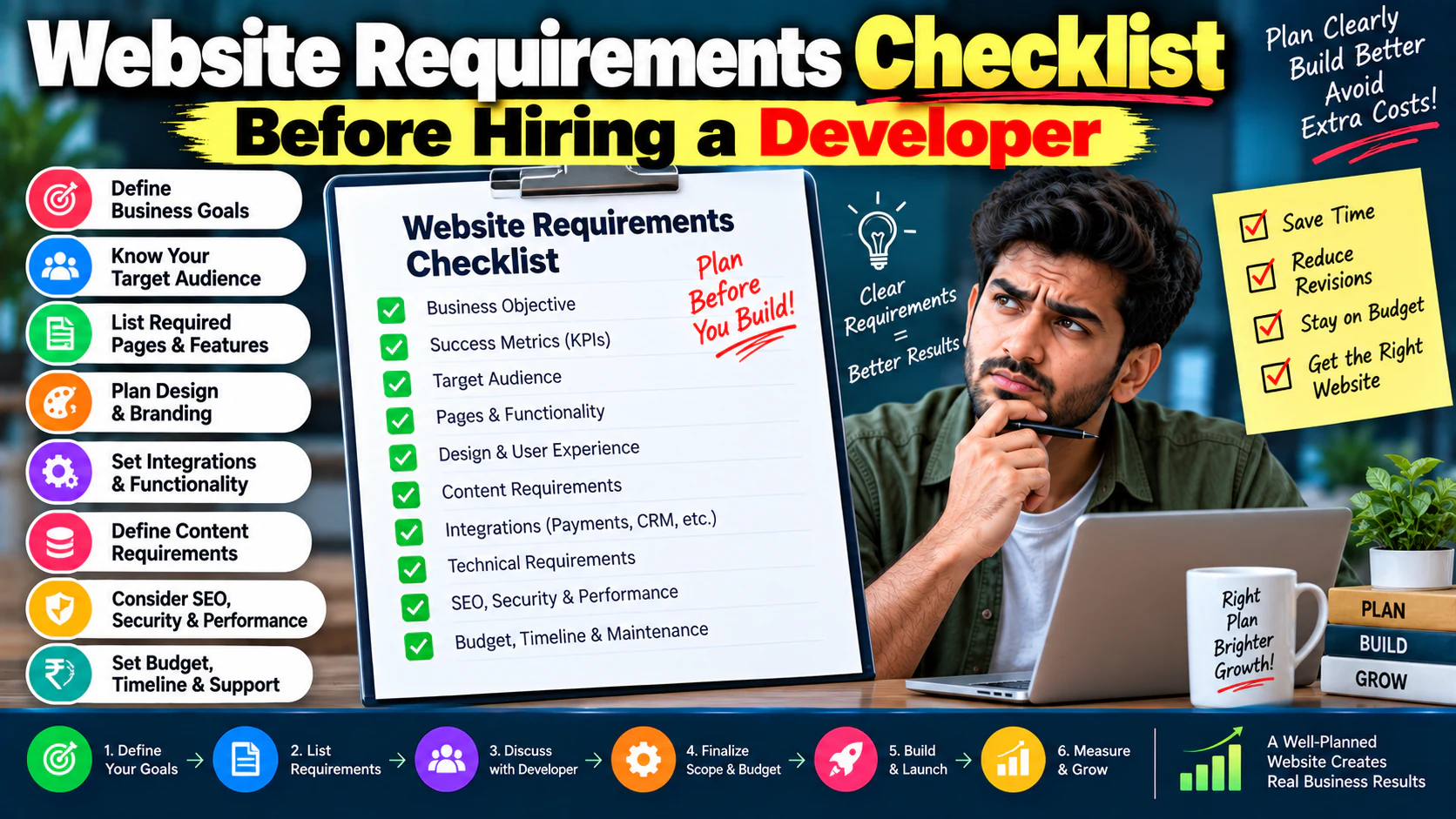
Hiring a web developer without defining your website requirements is a little like hiring a contractor and saying:
“Build me a nice house.”
How many rooms?
Which layout?
What materials?
What budget?
What purpose?
You wouldn't expect the contractor to guess all of that.
Yet businesses do exactly this with websites.
They tell a developer:
“We need a modern website.”
Then the project begins.
A few weeks later:
Then:
Then:
Then:
Then:
The problem isn't necessarily the developer.
The problem is that the requirements were never properly defined.
A good website project starts before design and development.
This checklist will help you document what your website actually needs before hiring a developer, agency or freelancer.
Start With the Business Objective
Before discussing pages, colors or technology, answer:
Why are we building this website?
Possible objectives:
- Generate leads
- Sell products
- Build brand credibility
- Generate organic traffic
- Support sales
- Accept bookings
- Provide customer support
- Publish content
- Create a customer portal
- Automate business processes
- Launch a digital product
Don't write:
“We need a better website.”
That's not a measurable objective.
Instead:
“We want the new website to generate qualified enquiries for our three primary services.”
Now the development team has something to design around.
Define What Success Looks Like
Your requirements document should include measurable outcomes.
For example:
Current website
5,000 visitors/month
75 enquiries/month
1.5% conversion rate
Target
7,500 visitors/month
150 enquiries/month
2% conversion rate
Now the website project has a business target.
Other useful KPIs include:
- Lead conversion rate
- Qualified leads
- Online sales
- Average order value
- Booking completion rate
- Form completion rate
- Organic traffic
- Product revenue
- Returning visitors
A website shouldn't be considered successful simply because it launched.
Identify Your Primary Audience
Your developer needs to understand who the website is for.
Define:
- Customer type
- Industry
- Location
- Company size
- Buying role
- Technical knowledge
- Main problems
- Buying motivation
- Common objections
For example:
Audience: Small and mid-sized B2B businesses
Decision maker: Founder / Marketing Head
Problem: Website receives traffic but few enquiries
Goal: Generate qualified leads
Objection: “Will redesigning actually improve results?”
This information influences:
Don't Design for “Everyone”
If your website targets:
your messaging can quickly become vague.
If you have multiple audiences, document them separately.
For each audience define:
| Audience | Main Need | Key Page | Primary CTA |
|---|---|---|---|
| Small business | Lead generation | Service page | Request consultation |
| Enterprise | Custom solutions | Solutions page | Talk to expert |
| Existing client | Support | Client portal | Login |
| Partner | Partnership | Partner page | Become a partner |
This makes the website architecture much easier to plan.
Decide What Type of Website You Actually Need
This decision should happen early.
Do you need:
Business Website?
For company information, services, SEO and lead generation.
Landing Page?
For one specific campaign or offer.
E-commerce Website?
For products, cart and checkout.
Web Application?
For accounts, dashboards and interactive workflows.
Customer Portal?
For existing customers to access personalized information.
Combination?
Many businesses need more than one.
For example:
Define this before development starts.
Create a Sitemap
Don't start designing pages randomly.
Create a sitemap first.
Example:
If the website has 50+ pages, organize them into logical categories.
The sitemap becomes the foundation for:
- Navigation
- SEO
- UX
- Content
- Development
- Internal linking
A proper information architecture plan should come before visual design.
Separate Must-Have Pages From Nice-to-Have Pages
This is one of the most useful requirements exercises.
Must Have
Pages required for launch.
Should Have
Important but can potentially follow shortly after launch.
Nice to Have
Useful enhancements that don't affect the core launch.
For example:
- Homepage
- Services
- About
- Contact
- Blog
- Case studies
- Industry pages
- Resources
- Comparison pages
- Interactive calculator
- Advanced personalization
- Customer portal
This keeps the first version focused.
Define Every Page's Purpose
For every important page, document:
For example:
SEO Service Page
Audience: Businesses looking for SEO support
Purpose: Generate qualified enquiries
Primary CTA: Request SEO consultation
Secondary CTA: View SEO case studies
Content: Services, process, benefits, proof, FAQs
Now the developer and content team are working toward the same goal.
Define Your Conversion Actions
What counts as a conversion?
Don't simply say:
“Contact us.”
List actual actions.
Examples:
- Contact form submission
- Phone call
- WhatsApp enquiry
- Consultation booking
- Quote request
- Product purchase
- Demo request
- Newsletter signup
- Brochure download
- Account registration
Then define:
Primary conversions
Actions directly connected to revenue.
Secondary conversions
Actions that indicate interest.
This becomes important later when analytics are configured.
Plan Your CTAs
Every important page should have a primary action.
Examples:
Avoid making every page say:
“Contact Us”
without context.
The CTA should reflect what the visitor is ready to do.
Define the Lead Capture Requirements
If you're generating leads, document:
- What information you need
- Which fields are mandatory
- Which fields are optional
- Where submissions go
- Who receives notifications
- Whether leads enter a CRM
- Whether an autoresponder is required
- Whether spam protection is required
- Whether users receive confirmation
For example:
That's a workflow.
Your developer needs to know about it before development begins.
Don't Add 20 Form Fields Without a Reason
Every field has a conversion cost.
Suppose you ask:
- Name
- Phone
- Company
- Industry
- Revenue
- Team size
- Marketing budget
- Website
- Current agency
- Monthly traffic
- Biggest challenge
You may get better qualification.
But you may also get fewer submissions.
Define the minimum information sales actually needs.
Then test additional fields later.
Define Your Content Requirements
Your developer shouldn't be responsible for guessing your content needs.
Document:
Copy
Who writes the text?
Images
Who supplies them?
Videos
Where are they hosted?
Case studies
How many are required?
Testimonials
Where will they appear?
Blog
Will the team publish regularly?
Downloads
Are PDFs or resources required?
Content gaps often cause website delays.
Decide Who Owns the Content
Before the project begins, assign responsibility.
Example:
| Asset | Owner |
|---|---|
| Homepage copy | Marketing |
| Service copy | SEO/Content |
| Product descriptions | Product team |
| Images | Brand team |
| Case studies | Sales |
| Technical content | Subject expert |
| Blog | Content team |
This prevents:
“We were waiting for your content.”
from becoming a two-week delay.
Define Your Brand Requirements
Provide the developer with:
- Logo
- Brand colors
- Typography
- Brand guidelines
- Photography style
- Icon style
- Illustration style
- Existing marketing materials
If you don't have a formal brand guide, define basic rules.
For example:
Primary color: Brand color
Secondary color: Supporting color
Font: Primary typeface
Button style: Rounded / rectangular
Image style: Professional / lifestyle / product-focused
Consistency matters across the website.
Define the Functional Requirements
This is where many website projects become expensive.
List every functionality you expect.
Examples:
- Contact forms
- Search
- Filters
- Blog
- Booking
- Login
- User registration
- Payments
- Product management
- Customer dashboard
- Downloads
- Membership
- Reviews
- Chat
- Calculators
- Multi-language support
- Notifications
Don't write:
“Advanced functionality.”
Explain what users actually need to do.
Describe Features as User Actions
Instead of:
“We need a booking system.”
Write:
“Users should be able to select a service, choose an available date and time, submit contact details, pay online and receive a confirmation email.”
Now the developer understands the workflow.
Do this for every complex feature.
Define User Roles
If users log in, define roles.
For example:
Admin
Can manage everything.
Staff
Can manage assigned records.
Customer
Can view their own information.
Manager
Can view reports.
Different roles can require different permissions.
Don't leave this until the end of development.
Define Login Requirements
If accounts are required, document:
- Email/password login
- Google login
- OTP login
- Password reset
- Email verification
- Two-factor authentication
- Account deletion
- Session management
Not every project needs all of these.
Define only what is actually required.
Define Payment Requirements
If money changes hands through the website, document:
- Payment gateway
- Currency
- Payment methods
- Refund workflow
- Failed payment handling
- Invoice requirements
- Tax requirements
- Order confirmation
- Payment notifications
For example:
Each step can have technical requirements.
Define Third-Party Integrations
Make a complete integration list.
Examples:
- CRM
- Google Analytics
- Google Tag Manager
- Email marketing platform
- Payment gateway
- Calendar
- Booking system
- ERP
- Inventory system
- Marketing automation
- Chat platform
For each integration document:
This prevents integration surprises.
Think About Your CRM
If your website generates leads, ask:
“Where does the lead go after form submission?”
Possible answers:
A serious lead-generation website shouldn't depend entirely on someone checking an inbox manually.
Define Analytics Before Development
Don't launch first and think about tracking later.
Define what needs to be measured.
Examples:
- Form submission
- Phone click
- WhatsApp click
- Email click
- CTA click
- Download
- Booking
- Purchase
- Account creation
- Search
- Video interaction
Then determine how those events will be tracked.
Your developer should know the measurement requirements before launch.
Define SEO Requirements
If organic search matters, include SEO in the project brief.
Document:
- URL structure
- Page hierarchy
- Metadata
- Heading structure
- Canonical tags
- XML sitemap
- Robots directives
- Redirects
- Schema requirements
- Internal linking
- Image optimization
- Indexability
- Search-friendly content structure
SEO should not be something added after development as an afterthought.
Create a Keyword-to-Page Map
For important pages, define:
For example:
| Page | Primary Topic | Intent |
|---|---|---|
| SEO Services | SEO services | Commercial |
| Technical SEO | technical SEO services | Commercial |
| SEO Audit | SEO audit | Commercial |
| SEO Pricing | SEO pricing | Commercial investigation |
This prevents multiple pages from accidentally competing for the same intent.
Define Your URL Structure
Decide how URLs should work.
Example:
`/services/`
`/services/seo/`
`/services/web-development/`
`/blog/`
`/blog/topic-name/`
Keep the structure:
- Short
- Descriptive
- Consistent
- Human-readable
- Stable
Avoid creating random URLs that you'll later have to restructure.
Plan Redirects If You're Replacing an Existing Website
If this is a redesign, document:
This is especially important for pages already receiving:
- Organic traffic
- Backlinks
- Rankings
- Referrals
A redesign should not casually destroy the existing SEO structure.
Define Mobile Requirements
Don't simply write:
“Responsive website.”
That's too vague.
Specify that important experiences need to work across:
- Mobile
- Tablet
- Desktop
Pay particular attention to:
- Navigation
- Forms
- Buttons
- Tables
- Product grids
- Filters
- Popups
- Checkout
- Login
- Dashboards
Mobile requirements should cover actual workflows.
Define Performance Expectations
Document your expectations around:
- Page loading
- Image optimization
- Script management
- Caching
- Hosting
- Core Web Vitals
- Mobile performance
Don't wait until launch to discover that the homepage is overloaded with heavy assets.
Performance should be part of development acceptance criteria.
Define Security Requirements
At minimum, consider:
- HTTPS
- Secure authentication
- Access control
- Software updates
- Backup strategy
- Form spam protection
- Secure payment handling
- Data protection
- Admin access controls
If sensitive customer information is involved, security requirements need much more attention.
Define Backup and Recovery
Ask:
A backup that has never been tested isn't much of a recovery strategy.
Define:
before launch.
Decide Who Owns the Accounts
This is extremely important.
The business should know who owns:
- Domain
- Hosting
- CMS
- Analytics
- Tag manager
- Search Console
- CRM
- Payment gateway
- Email platform
- Cloud services
- Third-party plugins
Don't build your entire digital infrastructure under a developer's personal account.
The business should retain appropriate ownership and access.
Define CMS Requirements
Ask:
“Who will update the website after launch?”
If your marketing team needs to publish blogs and update service pages, the CMS needs to make that practical.
Document:
- Who can edit content
- Who can publish
- Who can approve
- Media management
- Blog management
- Page editing
- User permissions
A website that only developers can update can become a marketing bottleneck.
Define Admin Requirements
The back end matters too.
Ask:
- Who gets admin access?
- What can they edit?
- Can they manage forms?
- Can they manage products?
- Can they manage users?
- Can they view orders?
- Can they update content?
- Can they access analytics?
Admin UX is often ignored during design.
Don't ignore it.
Define Browser and Device Support
Specify which environments matter.
For example:
- Modern Chrome
- Safari
- Edge
- Firefox
- Android devices
- iPhones
- Tablets
- Desktop screens
You don't necessarily need to support every old browser.
Define your practical support requirements.
Define Accessibility Expectations
At minimum, consider:
- Keyboard navigation
- Text contrast
- Form labels
- Alternative text
- Heading hierarchy
- Focus states
- Readable text
- Accessible buttons
- Error messaging
Accessibility isn't just a compliance issue.
It can improve usability for everyone.
Define Legal and Compliance Requirements
Depending on your business and market, consider:
- Privacy policy
- Terms and conditions
- Cookie requirements
- Consent mechanisms
- Refund policy
- Data retention
- Marketing consent
- Industry-specific compliance
Don't ask the developer to decide your legal requirements.
Get the appropriate legal guidance and give the technical team the requirements.
Define Search and Filtering Requirements
If your website has many products, services or resources, document:
For example:
This can significantly affect architecture and development effort.
Define Notifications
Document every important notification.
Examples:
Customer
“Your enquiry has been received.”
Sales team
“New lead submitted.”
Admin
“Payment failed.”
Customer
“Your booking is confirmed.”
For each notification define:
- Trigger
- Recipient
- Message
- Delivery channel
Define the Post-Launch Process
A website doesn't end when it launches.
Define:
- Bug fixing
- Maintenance
- Updates
- Security patches
- Backups
- Monitoring
- Content updates
- Performance monitoring
- Support
Ask:
“Who owns the website after launch?”
Get the answer in writing.
Define the Development Process
Ask the developer or agency:
What are the phases?
For example:
A clear process reduces confusion.
Define Approval Points
Don't wait until the end to discover that everyone imagined something different.
Create approval checkpoints.
Approval 1
Requirements
Approval 2
Sitemap
Approval 3
Wireframes
Approval 4
Visual design
Approval 5
Development
Approval 6
Testing
Approval 7
Launch
This makes change management much easier.
Define What Is Included in the Project
Your proposal should clearly state:
Included
- Number of pages
- Design
- Development
- Forms
- CMS
- Integrations
- Analytics
- SEO setup
- Testing
- Launch
Not Included
- Copywriting
- Photography
- Paid advertising
- Advanced integrations
- Custom software
- Ongoing SEO
- Maintenance
Ambiguity here causes disputes later.
Define Revision Limits
Ask:
For example:
Changing:
“Blue button to green”
may be a revision.
Changing:
“We now want a completely different homepage structure”
is a scope change.
Define the difference.
Define Timeline Dependencies
Don't just ask:
“How many weeks will development take?”
Ask what the timeline depends on.
Potential dependencies:
- Content delivery
- Design approval
- Client feedback
- API credentials
- Product data
- Hosting access
- Third-party approvals
A 6-week development estimate can become a 12-week project if inputs aren't ready.
Define the Budget Properly
Don't only ask:
“How much is the website?”
Break down:
Initial development
₹X
Hosting
₹X/year
Premium plugins/services
₹X/year
Maintenance
₹X/month
Content
₹X
Third-party integrations
₹X
Future enhancements
Estimated separately
The cheapest quote isn't necessarily the cheapest project.
Look at total cost of ownership.
Ask What Happens After Launch
Some agencies deliver the website and disappear.
Ask:
- Is there a warranty period?
- How are bugs handled?
- Is maintenance included?
- What is the support response time?
- Who handles updates?
- What happens if something breaks?
- Can another developer take over?
A website is a long-term business asset.
Plan for its life after launch.
Define Ownership and Handover
At project completion, you should know what you receive.
Potential handover items:
- Website source/code where applicable
- CMS access
- Hosting access
- Domain access
- Design files
- Content
- Database
- Documentation
- Analytics access
- Tracking setup
- Integration credentials/access
- Backup information
Don't discover six months later that you don't control a critical account.
Your Website Requirements Checklist
Use this master checklist before hiring a developer.
Business
- Business objective defined
- Success metrics defined
- Target audience identified
- Primary conversion defined
- Secondary conversions defined
- Budget range established
- Timeline established
Website Structure
- Website type decided
- Sitemap created
- Page priorities defined
- Page purposes defined
- Navigation planned
- URL structure planned
Content
- Homepage copy
- Service copy
- Product copy
- About content
- Case studies
- Testimonials
- Images
- Videos
- Blog requirements
Functionality
- Forms
- Search
- Filters
- Booking
- Payments
- Login
- User accounts
- Dashboards
- Downloads
- Notifications
Integrations
- CRM
- Analytics
- Tag management
- Payment gateway
- Calendar
- WhatsApp/chat
- Other APIs
SEO
- Keyword map
- URL structure
- Metadata
- Headings
- Internal links
- XML sitemap
- Robots configuration
- Redirect plan
- Schema requirements
- Indexability
UX
- Mobile experience
- Navigation
- CTA hierarchy
- Forms
- Error states
- Accessibility
- Search experience
Technical
- Hosting
- CMS
- Technology stack
- Performance requirements
- Security
- Backups
- Browser support
- Scalability
Ownership
- Domain ownership
- Hosting ownership
- CMS ownership
- Analytics ownership
- Third-party accounts
- Source/code access
- Handover requirements
Launch
- QA
- Mobile testing
- Form testing
- Analytics testing
- SEO checks
- Redirect testing
- Backup verification
- Final approval
- Launch plan
- Post-launch support
The One-Page Website Brief
If you don't want to create a massive document, start with this.
Business
What does the company do?
Audience
Who is the website for?
Objective
What should the website accomplish?
Primary CTA
What should visitors do?
Pages
What pages are required?
Features
What should users be able to do?
Integrations
What systems need to connect?
SEO
Which pages need organic visibility?
Analytics
What should be measured?
Content
Who provides copy, images and proof?
Design
What brand guidelines should be followed?
Technical
What performance, security and hosting requirements exist?
Timeline
When does the website need to launch?
Budget
What investment range is available?
Ownership
Who owns the website and accounts?
That's enough to transform:
“We need a website.”
into an actual project brief.
The Most Important Questions to Ask Your Developer
Before signing, ask:
- What exactly is included?
- What isn't included?
- Who provides the content?
- Who owns the domain?
- Who owns the hosting?
- Who owns the code?
- What CMS will be used?
- What technology will be used?
- How will SEO be handled?
- How will analytics be implemented?
- How will forms connect to our CRM?
- How will the website be tested?
- How will backups work?
- What happens after launch?
- How are additional changes billed?
- What happens if the project timeline slips?
- What happens if we change requirements?
- How will handover work?
- Can another developer maintain the website?
- What happens if we stop working together?
If the answers are unclear, don't rush into development.
Don't Let the Developer Guess Your Business
A developer understands technology.
You understand your business.
Your marketing team understands the audience.
Your sales team understands objections.
Your SEO team understands search intent.
Your operations team understands workflows.
Bring these perspectives together before development.
That's how you prevent:
but
or:
but
Requirements Should Come Before Technology
This is one of the most important principles in the entire process.
Don't begin with:
“Should we use WordPress?”
or:
“Should we build it in React?”
Start with:
“What does the website need to accomplish?”
Then define:
This prevents technology from becoming the strategy.
Your Requirements Document Should Become the Source of Truth
Once approved, the requirements document should guide:
- Design
- Development
- Content
- SEO
- Analytics
- Testing
- Budget
- Timeline
- Acceptance
If someone proposes a new feature halfway through development, ask:
“Was this in the approved requirements?”
If not, determine whether it's a genuine requirement change.
That one question can prevent major scope problems.
Don't Build Everything on Day One
A good requirements process doesn't mean adding every imaginable feature.
Instead, divide requirements into:
Launch
Essential for the business to operate.
Phase 2
Useful improvements.
Phase 3
Advanced functionality.
For example:
Website + forms + CRM + analytics.
Advanced landing pages + calculators.
Customer portal.
This lets you launch sooner without abandoning the long-term vision.
The Final Rule: Define the Job Before Building the Website
A website project becomes much easier when everyone knows:
That's what a good requirements document does.
It turns:
“Make us a modern website.”
into:
“Build a conversion-focused website for these audiences, with these pages, these workflows, these integrations, these SEO requirements and these measurable business outcomes.”
That's a project a developer can actually execute.
And that's how you avoid the classic website-project problems:
Before you compare developers on price, compare them on their ability to understand and execute the requirements.
Because the most expensive website isn't always the one with the highest quote.