A website redesign can easily become an expensive exercise in making an existing problem look newer.
You change the homepage.
You replace the colors.
You add animations.
You install a new theme.
You move sections around.
Then, three months later, the same problems return:
- Visitors still leave without contacting you.
- Organic traffic is still weak.
- Mobile users still struggle.
- Pages still load slowly.
- Leads are still inconsistent.
- Your team still cannot update the website easily.
- Paid traffic still lands on pages that do not convert.
The problem is simple:
A proper website audit should answer one question:
What is actually broken, what is underperforming, and what should be changed before we spend money rebuilding it?
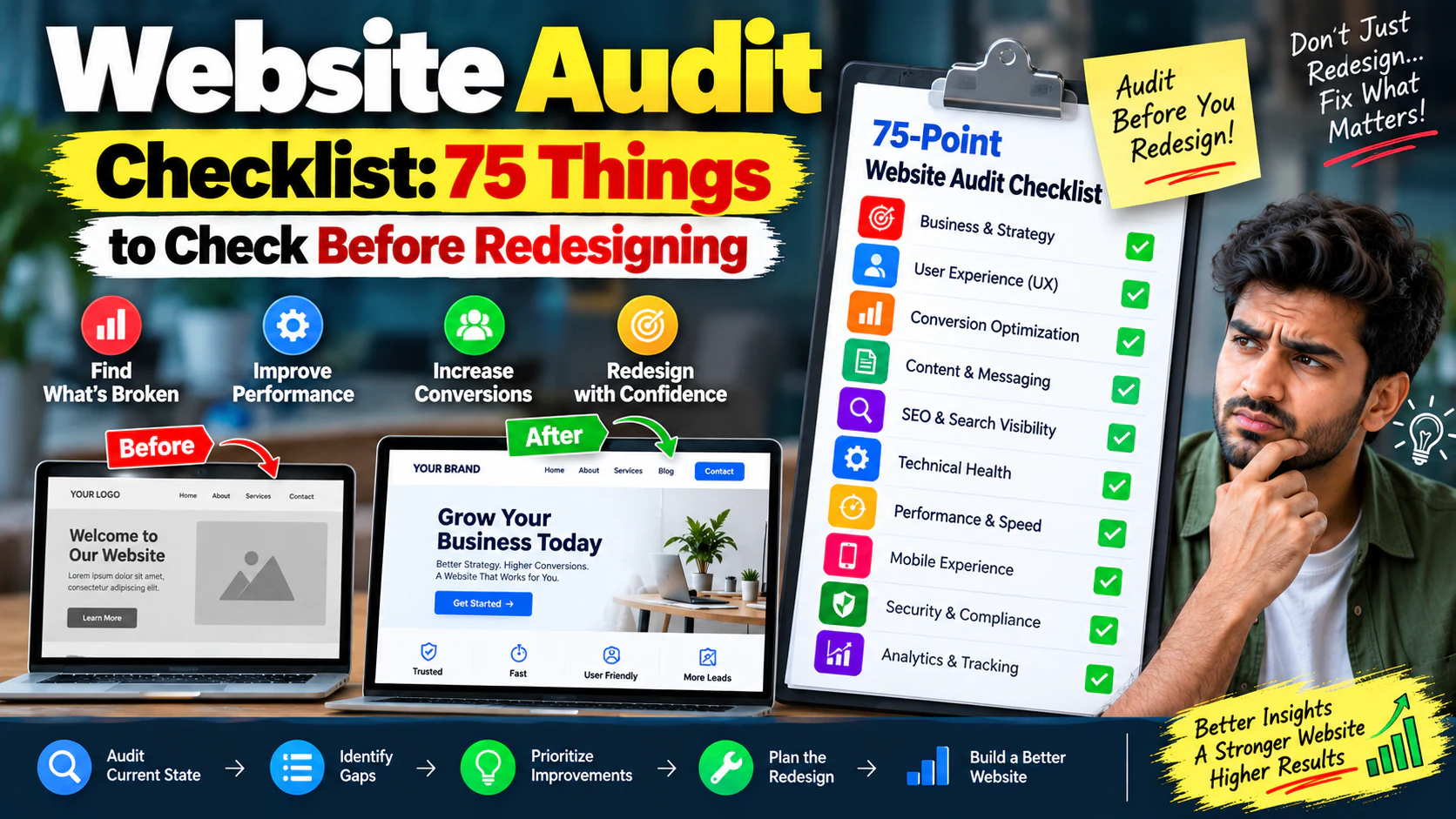
This 75-point website audit checklist gives you a practical framework covering business goals, UX, conversion, content, SEO, technical health, performance, mobile experience, security and analytics.
What Is a Website Audit Before a Redesign?
A website audit is a structured examination of your existing website before deciding what to keep, improve, rebuild, remove or replace.
Think of it like inspecting a commercial property before renovating it.
You would not demolish a building simply because the interiors look outdated.
You would first inspect:
- Structure
- Electrical systems
- Plumbing
- Accessibility
- Usage
- Safety
- Space requirements
- Future expansion
Your website needs the same approach.
A redesign should be based on evidence, not aesthetics.
The 75-Point Website Audit Checklist
Use the following checklist before approving a redesign project.
Section 1: Business & Strategy Audit
Is the primary business goal clear?
Your website should have a measurable purpose.
Examples:
- Generate qualified leads
- Sell products
- Generate demo bookings
- Receive consultation requests
- Build enquiries through WhatsApp
- Drive store visits
- Generate applications
If the goal is simply "make the website better," the redesign brief is not specific enough.
Can a new visitor understand what you sell within 5 seconds?
Look at your homepage without explaining it to someone.
Can they understand:
If not, your messaging needs work before your visual design.
Is your target audience clearly defined?
A website targeting everyone usually speaks effectively to nobody.
Define:
- Customer type
- Industry
- Location
- Problem
- Buying motivation
- Budget level
- Decision-maker
Does the website match the customer's buying stage?
Someone searching:
"What is digital marketing?"
needs different information from someone searching:
"digital marketing agency for small business."
Your website should support different stages of the buying journey.
If "SEO Services" generates significant revenue, users should be able to reach it easily.
Are website goals connected to business KPIs?
Track outcomes such as:
- Qualified leads
- Sales
- Revenue
- Demo bookings
- Enquiry rate
- Cost per lead
- Conversion rate
Do not make "number of visitors" the only success metric.
Does the current website still represent the business?
Check whether these are outdated:
- Services
- Pricing
- Locations
- Team
- Contact information
- Product range
- Positioning
- Industries served
- Case studies
An outdated website can damage trust even when technically functional.
Do you know why you want a redesign?
Choose the actual reason:
- Poor conversion
- Outdated technology
- Poor mobile UX
- Slow performance
- Weak SEO
- Difficult maintenance
- Rebranding
- New services
- Scaling requirements
The reason determines the redesign strategy.
Have you identified what should NOT be changed?
This is often ignored.
Some existing assets may already perform well.
Identify:
- High-traffic pages
- High-converting pages
- Strong backlinks
- High-ranking URLs
- Successful landing pages
- Useful content
- Valuable integrations
A redesign should protect these assets.
Is the website architecture capable of supporting future growth?
Ask:
"Will this structure still work if the company doubles its services, products or traffic?"
If not, redesign the architecture—not just the appearance.
Section 2: Homepage Audit
Does the homepage have one clear primary message?
Avoid headlines like:
"Welcome to XYZ Enterprises."
Instead communicate the value.
For example:
"Performance Marketing for Indian D2C Brands That Want Profitable Growth."
Specific beats impressive-sounding.
Is the primary CTA immediately visible?
Users should quickly understand what to do next.
Examples:
- Get a Quote
- Book a Demo
- Request an Audit
- Start a Project
- Talk to an Expert
Is the CTA action-oriented?
"Submit" is weak.
"Get My Free Audit" is more specific.
Does the homepage establish credibility?
Look for:
- Client logos
- Reviews
- Case studies
- Certifications
- Awards
- Results
- Years of experience
- Industry expertise
Does the homepage answer obvious buyer questions?
For example:
- What do you do?
- Who do you help?
- Why choose you?
- How does it work?
- How much does it cost?
- What results can I expect?
- How do I get started?
Section 3: Navigation & UX Audit
Can users find important pages quickly?
Important pages should not be buried.
Audit access to:
- Services
- Products
- About
- Contact
- Pricing
- Resources
- Case studies
Your customer may not know what:
"Growth Solutions"
means.
They probably understand:
"Digital Marketing Services."
Group related pages logically.
Is there a clear path to conversion?
A useful journey might be:
If users have to figure out the journey themselves, conversion suffers.
Are important links visually distinguishable?
Users should be able to identify:
- Buttons
- Text links
- Navigation
- Download links
- External links
Are there confusing interface elements?
Check for:
- Tiny clickable areas
- Unclear icons
- Hidden menus
- Unexpected popups
- Auto-playing media
- Excessive animation
Does the website provide useful feedback after actions?
When someone submits a form, they should know:
- Whether submission succeeded
- What happens next
- How quickly someone will respond
Are error messages helpful?
"Something went wrong" is not useful.
Explain:
- What happened
- What needs correction
- What the user should do next
Section 4: Conversion Audit
Does every important page have a next step?
A visitor should not reach the bottom of a service page and wonder:
"Now what?"
Are CTAs matched to page intent?
A blog visitor may not be ready to "Buy Now."
A service-page visitor may be ready to request a consultation.
Match the CTA to intent.
Are there too many competing CTAs?
If a page has:
- Call Now
- Download
- Subscribe
- Book Demo
- Contact
- Buy Now
the user may hesitate.
Give each page a primary action.
Are forms unnecessarily long?
If you ask for:
- Name
- Phone
- Company
- Revenue
- Website
- Industry
- Address
- City
- GST number
- Message
you may reduce completion.
Ask only for information required at that stage.
Are forms actually working?
Test:
- Submission
- Validation
- Email notification
- CRM integration
- Thank-you page
- Mobile submission
- Duplicate submissions
Is lead quality being tracked?
A website producing 100 enquiries is not necessarily better than one producing 30.
If 20 of those 30 are qualified, the second website may be much more valuable.
Are trust objections handled?
Ask:
"Why would someone hesitate to contact us?"
Possible objections:
- Too expensive
- No proof
- Unclear process
- No guarantee
- Unknown company
- No reviews
- No portfolio
- Concern about response time
Your website should address relevant objections.
Are landing pages aligned with campaigns?
If an advertisement promises:
"Get a Free Website Audit"
but lands on a generic homepage, conversion friction increases.
Is the thank-you experience optimized?
After conversion, tell users:
- What happens next
- When they will hear from you
- What they can prepare
- What additional resource they can access
Are conversion events measured correctly?
Examples:
If 1,000 relevant visitors generate 30 leads:
Without reliable tracking, you cannot know whether redesign improved performance.
Section 5: Content Audit
Is every important page targeting a clear purpose?
Avoid pages created simply because competitors have them.
Every page should have a job.
Is the content written for customers rather than the company?
Compare:
"We are a leading organization committed to excellence."
with:
"We help manufacturers generate qualified B2B enquiries through search and paid campaigns."
The second communicates value.
Are service descriptions specific?
Explain:
- What is included
- Who it is for
- How it works
- Expected outcomes
- Process
- Proof
- FAQs
- CTA
Is outdated content removed or improved?
Identify:
- Old offers
- Expired promotions
- Old statistics
- Discontinued services
- Outdated team information
Are important pages too thin?
A page with 150 generic words may not answer the customer's questions.
Do not add words just to make the page longer.
Add useful information.
Are duplicate pages creating confusion?
Check for multiple pages covering essentially the same topic.
This can create:
- User confusion
- SEO overlap
- Maintenance problems
- Weak internal linking
Are case studies specific?
A strong case study explains:
For example:
Leads increased from 42 to 78 per month after restructuring landing pages and paid campaigns.
Specific evidence is more persuasive than generic claims.
Are FAQs genuinely useful?
FAQs should answer actual buyer questions—not exist merely to add keywords.
Is the content easy to scan?
Check:
- Headings
- Short paragraphs
- Bullets
- Tables
- Visual hierarchy
- Highlighted key information
Is the tone consistent?
A professional service website should not have:
- One page written formally
- Another page using slang
- Another page sounding like a corporate legal document
Section 6: SEO Audit
Does every important URL have a clear SEO purpose?
Each important page should have a defined target topic or search intent.
Are page titles descriptive?
Avoid:
Home | Company Name
Prefer a title that communicates the page's value and topic.
Are meta descriptions useful?
They should accurately summarize the page and encourage qualified searchers to click.
Is the heading hierarchy logical?
Check:
- One primary H1
- Logical H2s
- Useful H3s
- No heading jumps purely for styling
Are important pages indexable?
Check for accidental:
- Noindex directives
- Crawl restrictions
- Incorrect canonical tags
- Blocked resources
- Technical errors
Are URLs clean and understandable?
Prefer:
`/services/seo/`
over:
`/page?id=4837`
A redesign is a good opportunity to fix unnecessary URL complexity—but URL changes must be planned carefully.
For example:
Are there broken internal links?
Find:
- 404 pages
- Redirect chains
- Broken navigation links
- Broken image links
- Outdated resource links
Are high-value pages receiving enough internal authority?
A valuable service page should not be effectively isolated from the rest of the website.
Are backlinks pointing to important URLs?
Before changing URLs, identify pages with valuable external links.
Never casually delete a URL that has accumulated authority.
Section 7: Technical Website Audit
Is the CMS still suitable?
Ask:
- Is it secure?
- Is it maintained?
- Can the team update it?
- Does it support required functionality?
- Can developers extend it?
- Does it create unnecessary technical debt?
Are plugins, themes and dependencies current?
Outdated components can create security and compatibility problems.
Are unnecessary plugins or scripts installed?
Every additional dependency can create:
- Performance overhead
- Security exposure
- Compatibility problems
- Maintenance work
Are redirects properly configured?
Check:
- HTTP → HTTPS
- Old URL → New URL
- WWW/non-WWW consistency
- Trailing slash behavior
- Removed pages
Is HTTPS configured correctly?
Check for:
- Valid certificate
- HTTPS enforcement
- Mixed-content problems
- Correct redirects
Are 404 pages useful?
A good 404 page should help users recover.
Include:
- Search
- Important links
- Homepage
- Relevant categories
Are there unnecessary redirect chains?
Ideally:
rather than:
Are staging and development environments protected?
A development environment should not accidentally become publicly indexable or expose sensitive information.
Are backups reliable?
Do not ask only:
"Do we have backups?"
Ask:
"Can we actually restore the website from a backup?"
Test restoration where appropriate.
Is ownership clear?
Confirm who owns:
- Domain
- Hosting
- CMS
- Source code
- Analytics
- Search tools
- Plugins
- Licenses
- Design files
A redesign should not create a new form of vendor lock-in.
Section 8: Performance Audit
How fast does the website load?
Test representative pages—not just the homepage.
Check:
- Homepage
- Service pages
- Product pages
- Blog pages
- Landing pages
What is causing the slowdown?
Potential causes include:
- Large images
- Excessive JavaScript
- Third-party scripts
- Poor hosting
- Unoptimized CSS
- Heavy plugins
- Inefficient database queries
Are images properly optimized?
Check:
- File size
- Dimensions
- Modern formats
- Compression
- Lazy loading
- Responsive image delivery
Are third-party scripts necessary?
Audit:
- Chat widgets
- Tracking scripts
- Heatmaps
- Social widgets
- Advertising scripts
- Embedded videos
Every script has a cost.
Is caching configured properly?
Check browser, server and application-level caching where relevant.
Section 9: Mobile Audit
Does the website work properly on real mobile devices?
Do not rely only on desktop resizing.
Test actual devices.
Can users read content without zooming?
Check:
- Font size
- Line height
- Content width
- Contrast
Are buttons easy to tap?
Small buttons can create unnecessary friction.
Do forms work properly on mobile?
Test:
- Input fields
- Keyboard behavior
- Dropdowns
- Validation
- Submit buttons
- Autofill
Does the mobile version preserve the conversion journey?
This is the final and one of the most important checks.
A mobile visitor should still be able to:
without fighting the interface.
How to Score Your Website Audit
Do not simply mark items as "good" or "bad."
Use a scoring system.
| Score | Meaning | Action |
|---|---|---|
| 0 | Missing / broken | Fix immediately |
| 1 | Poor | High priority |
| 2 | Acceptable | Improve if relevant |
| 3 | Strong | Maintain |
| 4 | Excellent | Protect |
You can also add a business-impact score.
Priority Score
For example:
| Problem | Impact | Severity | Frequency | Priority |
|---|---|---|---|---|
| Mobile CTA difficult to tap | 5 | 4 | 5 | 100 |
| Old team photo | 1 | 1 | 2 | 2 |
| Homepage unclear | 5 | 5 | 5 | 125 |
| Slow service page | 5 | 4 | 4 | 80 |
This prevents your redesign team from spending two weeks fixing a low-impact visual issue while ignoring a major conversion problem.
How to Decide: Fix, Improve, Rebuild or Remove
After the audit, classify every important issue.
Keep
The page works well.
Action: Preserve it.
Improve
The underlying page is valuable but underperforming.
Action: Optimize content, UX, CTA, SEO or design.
Rebuild
The page has strategic value but its architecture or technology is limiting performance.
Action: Rebuild carefully.
Merge
Two pages overlap substantially.
Action: Consolidate where appropriate.
Remove
The page has little value and no meaningful strategic role.
Action: Remove or redirect appropriately.
Example: What a Real Redesign Audit Might Reveal
Imagine a B2B company receives:
- 8,000 monthly website visitors
- 150 enquiries
- 18 qualified leads
- 5 customers
At first glance, management says:
"The website needs a new design."
But the audit finds:
- Mobile CTA is difficult to find
- Service pages have weak messaging
- Contact form has 12 fields
- Paid campaigns land on the homepage
- Several service URLs are poorly structured
- Important pages have weak internal links
- 35% of traffic reaches pages with outdated content
- Analytics does not distinguish qualified leads
- Several images are unnecessarily large
- The website has multiple unnecessary scripts
The redesign requirement has now changed.
It is no longer:
"Make the website look modern."
It becomes:
Improve the website's information architecture, conversion paths, mobile UX, technical foundation, content and measurement while protecting existing SEO value.
That is a much better project brief.
Website Audit vs Website Redesign
These are not the same thing.
| Website Audit | Website Redesign |
|---|---|
| Finds problems | Implements solutions |
| Uses existing evidence | Creates a new experience |
| Identifies priorities | Changes architecture/design |
| Protects valuable assets | Builds improved assets |
| Reduces unnecessary work | Requires implementation |
| Diagnostic | Execution |
The Biggest Redesign Mistakes to Avoid
Mistake 1: Starting with the homepage design
The homepage is important, but it should not determine the entire architecture before research.
Mistake 2: Treating aesthetics as performance
A beautiful website can still have poor conversion.
Mistake 3: Ignoring SEO during redesign
Changing URLs, navigation and content without an SEO migration plan can damage organic visibility.
Mistake 4: Rebuilding everything
Some existing pages may already be valuable.
Mistake 5: Measuring only traffic
More visitors do not automatically mean more revenue.
Mistake 6: Forgetting mobile
A website that works beautifully on desktop can still fail on mobile.
Mistake 7: Choosing technology before requirements
Decide what the business needs first, then choose the technical approach.
Mistake 8: Not documenting ownership
Make sure the business controls its critical digital assets after the redesign.
A Practical Pre-Redesign Workflow
Use this sequence:
What should the website accomplish?
Where are users coming from and what are they doing?
Where are users getting confused or stuck?
Where are visitors failing to become leads or customers?
What should be kept, improved, merged or removed?
What rankings, URLs, backlinks and content need protection?
What technology problems need fixing?
What is slowing the website?
What happens on actual mobile devices?
Only now decide what to redesign.
What Should Your Final Audit Report Contain?
A useful website audit should not be a 100-page document full of screenshots and technical terminology.
It should make decisions easier.
Your final report should include:
Executive Summary
Top 5–10 problems.
Business Impact
Explain why each problem matters.
Evidence
Show data, examples or affected URLs.
Priority
Classify as:
- Critical
- High
- Medium
- Low
Recommended Action
State exactly what should happen.
Redesign Scope
Identify:
- Keep
- Improve
- Rebuild
- Merge
- Remove
Implementation Roadmap
Separate:
This turns an audit into an execution plan.
Final Website Redesign Decision Checklist
Before approving a redesign, make sure you can answer "yes" to these questions:
- Do we know why the current website is underperforming?
- Do we know which pages are valuable?
- Do we know which pages should be removed?
- Do we know our highest-converting pages?
- Do we know our important SEO URLs?
- Do we know which pages have backlinks?
- Have we tested the mobile experience?
- Have we checked forms?
- Have we checked analytics?
- Have we checked website speed?
- Have we reviewed content?
- Have we reviewed navigation?
- Have we reviewed conversion paths?
- Have we checked technical dependencies?
- Have we documented domain and hosting ownership?
- Have we defined redesign KPIs?
If the answer is no to several of these, you are probably not ready to redesign yet.
The Real Purpose of a Website Audit
A website audit is not about finding 75 things wrong with your website.
It is about finding the few problems that matter most.
A ₹5 lakh redesign should not be justified by:
"The website looks old."
It should be justified by evidence such as:
"The current architecture makes it difficult for users to find high-value services, mobile users struggle to complete enquiries, several high-value URLs require technical improvement, and conversion tracking cannot currently distinguish qualified leads."
That is a business case.
The best redesign is not necessarily the website with the newest design.
It is the website where every major change has a reason.
If you want your redesign to generate better leads, stronger organic performance and a better user experience—not simply a newer-looking interface—start with the audit.
Final CTA
If you are planning a website redesign, do not start by choosing a theme, color palette or developer. Start by understanding what is currently working—and what is costing you leads.
Request a Website Audit to identify the highest-impact UX, conversion, SEO, performance and technical issues before rebuilding.
Explore Web Development Services if you need a website architecture designed around business goals, SEO, conversion and long-term scalability.
SEO Publishing Information
| Field | Recommendation |
|---|---|
| Blog ID | WEB-06 |
| Category | Web Development |
| Stage | Diagnose |
| Primary Keyword | website audit checklist before redesign |
| Supporting Keywords | website health audit; website redesign audit; technical UX SEO audit |
| Search Intent | Informational |
| Funnel Stage | Solution Aware |
| Pillar Page | Web Development Services |
| Suggested URL | `/blog/website-audit-checklist-75-things-to-check-before-redesigning` |
| Content Role | Diagnostic / problem-solving resource |
| Publishing Sprint | Sprint 5 |
| CTA | Request a website audit / Explore Web Development |
| Meta Title | Website Audit Checklist: 75 Things to Check Before Redesigning |
| Meta Description | Use this 75-point website audit checklist to find UX, SEO, conversion, mobile, performance and technical problems before redesigning your business website. |
| H1 | Website Audit Checklist: 75 Things to Check Before Redesigning |