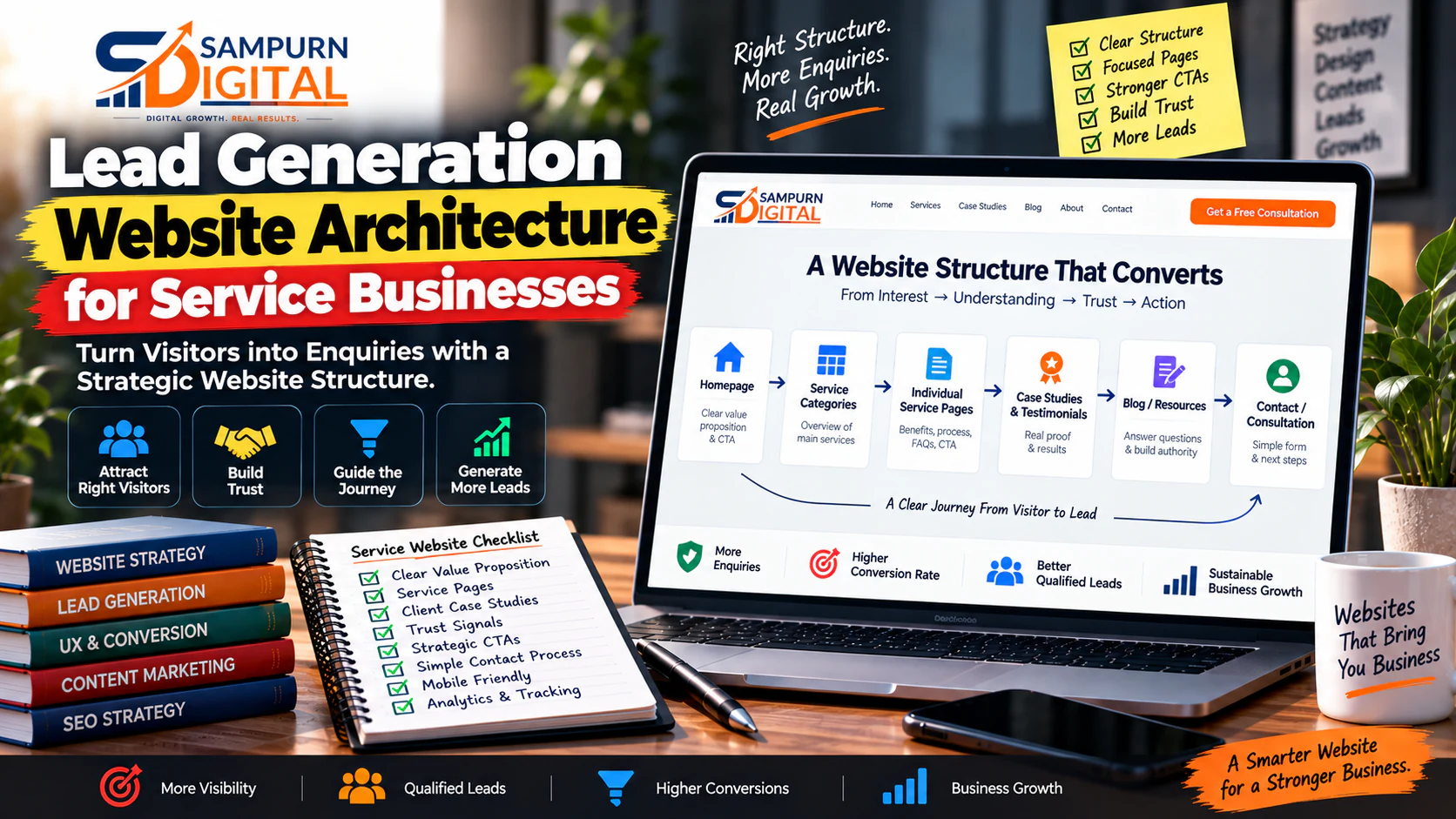
A service business website should do more than explain what you do.
It should help the right visitor understand your offer, trust your business, choose the next step, and become a lead.
Yet many service websites are built around pages rather than customer journeys.
A company launches:
- Home
- About
- Services
- Blog
- Contact
The website looks complete.
But six months later, the business owner says:
“We are getting traffic, but the enquiries are still low.”
The problem may not be traffic.
It may be the architecture.
A lead generation website architecture connects your services, landing pages, proof, content, calls-to-action, forms, navigation, and conversion paths into one system.
This guide explains how to build that system for a service business.
What Is Lead Generation Website Architecture?
Lead generation website architecture is the planned structure of a website designed to move visitors from interest → understanding → trust → action.
Instead of asking:
“What pages should our website have?”
Ask:
“What does a potential customer need to see before they are ready to contact us?”
That changes the entire website structure.
For example, a digital marketing company may need:
This is much stronger than sending every visitor to a generic Contact page.
The architecture should reflect how people actually make buying decisions.
Why Service Businesses Need a Different Website Structure
A product website can often move visitors directly toward a product page and checkout.
A service business usually has more friction.
The visitor may need to understand:
- What exactly do you offer?
- Is this service right for my problem?
- Have you worked with businesses like mine?
- Can I trust you?
- What makes your approach different?
- What does the process look like?
- What happens after I submit an enquiry?
- How much complexity is involved?
- Why should I contact you instead of another provider?
Your website therefore needs to answer these questions progressively.
A strong architecture reduces uncertainty before asking for the lead.
The Core Architecture of a Lead Generation Website
A practical service-business structure can look like this:
Homepage │ ├── Services │ ├── Service A │ ├── Service B │ ├── Service C │ └── Service D │ ├── Industries / Solutions │ ├── Industry A │ ├── Industry B │ └── Industry C │ ├── Case Studies / Results │ ├── Resources │ ├── Guides │ ├── Blog │ └── FAQs │ ├── About / Trust │ └── Contact / Consultation
But this is only the top-level structure.
The important part is how these pages connect.
For example:
The website becomes a journey instead of a collection of pages.
Start With Business Goals, Not Pages
Before creating a sitemap, define what the website must generate.
For a service business, common conversion goals include:
- Consultation requests
- Quote requests
- Demo bookings
- Phone calls
- WhatsApp enquiries
- Contact forms
- Audit requests
- Appointment bookings
- Lead-magnet downloads
Choose a primary conversion.
For example:
Primary goal: Consultation request
- WhatsApp enquiry
- Phone call
- Case-study engagement
- Lead-magnet download
This prevents a common problem: creating ten different CTAs with no clear priority.
Identify Your Highest-Value Services
Not every service deserves equal architectural importance.
Suppose an agency offers:
| Service | Average Deal Value | Business Priority |
|---|---|---|
| SEO | ₹60,000/year | High |
| Google Ads | ₹40,000/month | Very High |
| Social Media | ₹20,000/month | Medium |
| Website Development | ₹1,50,000/project | Very High |
| Graphic Design | ₹15,000/project | Low |
The navigation should not necessarily give all five services equal prominence.
Your architecture should reflect:
High-value services may deserve dedicated landing pages, supporting content, case studies, FAQs, and stronger CTA paths.
Create Service-Level Pages
A major architectural mistake is putting everything on one giant Services page.
For example:
`/services`
with 3,000 words describing:
- SEO
- PPC
- Social Media
- Website Development
- Branding
- Email Marketing
This makes the page difficult to rank and difficult to convert.
Instead:
/services/ /seo/ /google-ads/ /social-media-marketing/ /web-development/ /email-marketing/
Each important service should have a dedicated destination.
A service page can then target:
- A specific business problem
- A specific search intent
- A specific offer
- Relevant proof
- Relevant FAQs
- A focused CTA
Give Every Important Service a Conversion Path
A service page should not end with:
“Contact us to know more.”
That is weak.
Instead, construct the page around the buyer's questions.
A strong service page might follow:
Problem
What problem does the customer have?
Outcome
What business result are you helping them achieve?
Solution
What exactly do you provide?
Process
How does the engagement work?
Proof
Why should the visitor believe you?
Scope
What is included?
Objections
What questions or concerns might stop them?
CTA
What should they do next?
This turns the page into a sales asset.
Build Supporting Content Around Commercial Pages
Your service pages should not exist alone.
Create informational content that answers questions potential customers ask before buying.
For example, for a Google Ads service:
Google Ads Service │ ├── Google Ads Account Audit ├── Why Google Ads Spend Money but Produce Few Conversions ├── Search Term Analysis ├── Google Ads Keyword Strategy ├── Google Ads Campaign Structure ├── Landing Page Strategy └── Conversion Tracking
The informational articles attract visitors earlier in the buying journey.
The service page captures commercial intent.
This creates a bridge between SEO traffic and lead generation.
For businesses trying to connect website architecture with a broader acquisition system, the [lead generation system for a service business](https://chatgpt.com/blog/how-to-build-a-lead-generation-system-for-a-service-business) is a useful next step.
Build Proof Into the Architecture
Trust should not be isolated on an About page.
This is a major opportunity.
Place proof where the buying decision happens.
For example:
If you offer SEO services, show SEO-related results.
If you offer website development, show website projects.
If you serve a particular industry, show relevant industry experience.
The closer proof is to the decision point, the more useful it becomes.
Create Industry or Audience Paths When Necessary
A service business may serve multiple customer types.
For example:
- Real estate companies
- Healthcare businesses
- SaaS companies
- Manufacturing companies
- Local businesses
- E-commerce brands
If their problems and buying criteria are substantially different, create dedicated solution pages.
For example:
/services/ /seo/ /google-ads/
/industries/ /real-estate/ /healthcare/ /saas/ /manufacturing/
But don't create 100 nearly identical industry pages just to target keywords.
A dedicated page should exist when you can provide genuinely different:
- Problems
- Solutions
- Examples
- Proof
- FAQs
- Offers
- Messaging
Otherwise, consolidate.
Your navigation should help visitors answer:
A practical navigation might be:
Home Services Industries Work / Results Resources About Contact
The exact labels can change.
The principle remains the same:
Avoid complicated menus containing 30–40 links.
Too many options create decision friction.
Build Strong Internal Connections
Internal linking is not just an SEO tactic.
It is part of conversion architecture.
Imagine someone reads:
“Why Your Website Is Not Generating Leads”
The next logical destinations might be:
That is a natural journey.
Your links should answer:
“What would this visitor logically want to see next?”
This is especially important for service businesses because informational visitors often need several interactions before becoming leads.
Separate Informational and Commercial Intent
Not every page should sell aggressively.
Consider these two searches:
and
They represent different levels of buying intent.
The first visitor may need education.
The second may be evaluating providers.
Your architecture should support both.
A simplified model:
Informational Content ↓ Problem Understanding ↓ Solution Education ↓ Service Page ↓ Proof ↓ CTA
This prevents your blog from becoming an isolated traffic machine.
Build Conversion Paths for Different Traffic Sources
Different visitors may enter through different pages.
Organic Search
Google ↓ Blog / Service Page ↓ Relevant Service ↓ Proof ↓ CTA
Paid Ads
Ad ↓ Dedicated Landing Page ↓ Offer ↓ Proof ↓ Form
For paid traffic, a dedicated [landing page structure for paid traffic](https://chatgpt.com/blog/landing-page-structure-for-paid-traffic-that-is-ready-to-convert) can be more appropriate than sending visitors to a general homepage.
Social Media
Social Post ↓ Website Content ↓ Service / Offer ↓ Proof ↓ Lead
Referral
Referral ↓ Homepage / Service Page ↓ Trust ↓ Case Study ↓ Contact
Your website should accommodate all of these paths.
Create a Strong Lead Capture System
The CTA should match the visitor's level of intent.
A visitor reading a beginner guide may not be ready for:
“Book a ₹2 lakh project.”
Instead offer:
- Download guide
- Get checklist
- Request audit
- See case study
- Talk to an expert
A high-intent visitor on a service page may be ready for:
“Request a Consultation”
or:
“Get a Project Estimate”
Think in terms of commitment levels.
Low commitment
- Read guide
- Watch video
- Download checklist
Medium commitment
- Request audit
- Get assessment
- Submit requirements
High commitment
- Book consultation
- Request quote
- Start project
This creates a more realistic conversion system.
Keep Forms Appropriate to the Offer
A form asking for:
- Name
- Phone
- Company
- Industry
- Revenue
- Team size
- Budget
- Current provider
- 12 other questions
can create unnecessary friction.
But a completely empty form may produce poor-quality leads.
Use the minimum information needed to qualify the lead.
For example:
Basic enquiry
- Name
- Email/phone
- Requirement
High-value project
- Name
- Company
- Website
- Service required
- Approximate budget
- Project details
The more expensive and complex the service, the more qualification you can reasonably introduce.
Make the Architecture SEO-Friendly
Lead generation architecture and SEO architecture should support each other.
Pay attention to:
URL structure
Keep URLs logical.
Example:
/services/ /seo/ /google-ads/ /web-development/
Important commercial pages should not be buried several clicks deep.
Internal links
Connect related services, guides and proof.
Breadcrumbs
Use them where they improve navigation.
Topic clusters
Build supporting content around important commercial services.
Canonicalization
Avoid unnecessary duplicate URLs.
Indexation
Do not automatically index every thin filter, tag, archive or duplicate page.
A technically clean structure makes it easier for both users and search engines to understand the website.
Design the Homepage as a Routing Page
Your homepage does not need to explain every service in complete detail.
Its job is to route visitors toward the right destination.
A strong homepage can include:
Hero ↓ Primary Value Proposition ↓ Key Services ↓ Why Choose Us ↓ Results / Proof ↓ Industries ↓ Process ↓ Testimonials ↓ Resources ↓ Primary CTA
The homepage should quickly answer:
For a deeper framework, see [how to build a high-converting homepage](https://chatgpt.com/blog/web-development/how-to-build-a-high-converting-homepage).
A Practical Service Website Architecture Example
Imagine a B2B digital marketing company.
Instead of:
Home About Services Blog Contact
Build:
Home
Services ├── SEO Services ├── Google Ads ├── Social Media Marketing ├── Web Development └── Performance Marketing
Industries ├── Real Estate ├── Healthcare ├── SaaS └── Manufacturing
Results ├── SEO Case Studies ├── Paid Ads Case Studies └── Website Projects
Resources ├── SEO Guides ├── Paid Marketing Guides ├── Website Guides └── Digital Marketing Guides
About
Contact / Consultation
Now connect these sections.
For example:
The website starts behaving like a sales funnel.
The 5-Page Minimum Architecture for a Small Service Business
You do not always need 50 pages.
For a small business, a strong starting architecture could be:
Homepage
Explain positioning and route visitors.
Core Service Page
Explain the main offer.
Proof / Case Studies
Demonstrate credibility.
About / Trust
Explain who is behind the business.
Contact / Consultation
Capture demand.
Then expand with supporting content as the business grows.
A small, well-connected website can outperform a large website full of weak pages.
When Should You Create a Landing Page Instead of a Normal Website Page?
Use a dedicated landing page when the visitor has a specific campaign or offer context.
For example:
`/google-ads-audit/`
Instead of:
Homepage
The landing page can remove distractions and focus entirely on:
- Offer
- Problem
- Benefits
- Proof
- Objections
- CTA
For a broader website-versus-landing-page decision, see [business website vs landing page vs web application](https://chatgpt.com/blog/web-development/business-website-vs-landing-page-vs-web-application-what-do-you-actually-need).
What a Lead Generation Architecture Audit Should Check
Before launching, review these 20 questions.
Business
- Is the primary conversion clearly defined?
- Are high-value services prioritized?
- Is the ideal customer clear?
Architecture
- Does every important service have an appropriate page?
- Are related pages grouped logically?
- Are important pages easy to reach?
Conversion
- Does every commercial page have a clear CTA?
- Are CTAs matched to user intent?
- Are forms appropriately designed?
- Are there unnecessary conversion distractions?
Trust
- Is proof visible near important decisions?
- Are testimonials specific?
- Are case studies connected to relevant services?
SEO
- Are URLs logical?
- Is internal linking intentional?
- Are supporting content clusters connected to commercial pages?
UX
- Can users understand the offer quickly?
- Is mobile navigation easy?
- Are there dead-end pages?
- Can a visitor move from content to enquiry without confusion?
If you cannot answer these questions confidently, the architecture probably needs work before visual design is finalized.
Common Architecture Mistakes
Building the website around the company structure
Your website is not an organizational chart.
Visitors don't care which department owns a service.
They care about solving their problem.
Sending every visitor to Contact
A beginner visitor and a ready-to-buy visitor need different next steps.
Use contextual CTAs.
One page for every service
If services have different search intent and buying journeys, separate them.
Creating pages without connections
A website with 100 pages but weak internal relationships is not necessarily stronger than a 20-page website with excellent architecture.
Designing before planning
This is one of the most expensive mistakes.
A designer may create beautiful layouts before anyone has decided:
- What pages are needed
- What each page must accomplish
- Which pages support which services
- Where visitors should go next
Start with architecture.
Then design.
Competitor architecture can provide inspiration.
It should not become your strategy.
Your structure should reflect:
- Your customers
- Your offers
- Your revenue model
- Your search demand
- Your sales process
How to Plan the Architecture Before Development
Use this simple workflow.
Step 1 — List business goals
What should the website generate?
Step 2 — List core offers
Which services actually matter commercially?
Step 3 — Define audiences
Who buys each offer?
Step 4 — Map customer questions
What does each visitor need to understand before contacting you?
Step 5 — Build the page inventory
Create the required:
- Service pages
- Industry pages
- Proof pages
- Resource pages
- Conversion pages
Step 6 — Create the sitemap
Organize pages into logical groups.
Step 7 — Map internal links
Connect supporting content to commercial destinations.
Step 8 — Assign CTA paths
Define the next action for each page.
Step 9 — Create wireframes
Only now should visual design begin.
Step 10 — Develop and measure
Track:
- CTA clicks
- Form submissions
- Calls
- Qualified leads
- Conversion rate
- Lead-to-customer rate
The Website Architecture Worksheet
You can use this simple table before starting development:
| Page | Primary Audience | Intent | Main Goal | CTA | Supporting Pages |
|---|---|---|---|---|---|
| Homepage | All visitors | Mixed | Route visitor | Explore Services | Services |
| SEO Service | SEO buyers | Commercial | Generate enquiry | Request Audit | SEO Guides |
| Google Ads | Paid-search buyers | Commercial | Generate enquiry | Get Consultation | PPC Guides |
| Case Studies | Evaluation stage | Commercial | Build trust | Talk to Us | Services |
| Blog | Problem-aware visitors | Informational | Educate | Explore Service | Service Pages |
| Contact | High-intent visitors | Transactional | Capture lead | Submit Enquiry | — |
This forces every page to have a job.
That is the key principle.
How Architecture Affects Lead Quality
Website architecture does not only influence the number of leads.
It can influence the quality of those leads.
Suppose two websites generate 50 enquiries.
Website A
50 generic enquiries
Website B
50 enquiries
The second website may generate fewer raw conversions but significantly more commercial value.
Better architecture helps visitors self-select.
Clear service descriptions, pricing context, industries served, process information, qualification questions and case studies can reduce irrelevant enquiries.
So don't optimize the website only for:
Also measure:
A Simple Lead Generation Architecture Formula
Think of the website as:
But qualified lead generation goes one step further:
This is why simply increasing traffic isn't always the answer.
If the website architecture is weak, more traffic can simply create more unqualified visitors.
How SEO and Conversion Architecture Work Together
SEO brings people to pages.
Architecture decides where they go next.
Imagine a visitor lands on an article ranking for:
If the article ends with nothing except another random blog recommendation, the commercial opportunity is weak.
Instead:
SEO Cost Article ↓ What SEO Includes ↓ SEO Service Page ↓ Case Study ↓ SEO Audit CTA
The article can educate while the architecture creates the commercial bridge.
This is why a page that ranks is not automatically a page that generates leads. The next step is to turn useful organic traffic into a deliberate conversion journey with [how to turn a page that ranks into a page that generates leads](https://chatgpt.com/blog/how-to-turn-a-page-that-ranks-into-a-page-that-generates-leads).
What Should You Measure After Launch?
Once the website is live, measure the architecture—not just traffic.
Track:
Page-level metrics
- Sessions
- Engagement
- CTA clicks
- Form starts
- Form completions
Journey metrics
- Landing page → service page
- Blog → service page
- Service page → contact
- Case study → enquiry
Business metrics
- Leads
- Qualified leads
- Sales opportunities
- Customers
- Revenue
For example:
Now you can identify where the actual bottleneck exists.
Final Lead Generation Website Architecture Checklist
Before launching your service website, confirm:
- Primary business goal defined
- Primary conversion defined
- Core services identified
- Important services have dedicated pages
- Audience paths are clear
- Navigation is simple
- Homepage routes visitors effectively
- Service pages explain outcomes
- Proof is connected to relevant offers
- Case studies are accessible
- Blog content supports commercial pages
- Internal links are intentional
- CTAs match visitor intent
- Forms are appropriately qualified
- Paid campaigns have suitable landing pages
- URLs follow a logical structure
- Mobile navigation works properly
- No important page is a dead end
- Conversion tracking is configured
- Qualified leads are measured
- The architecture is documented before development