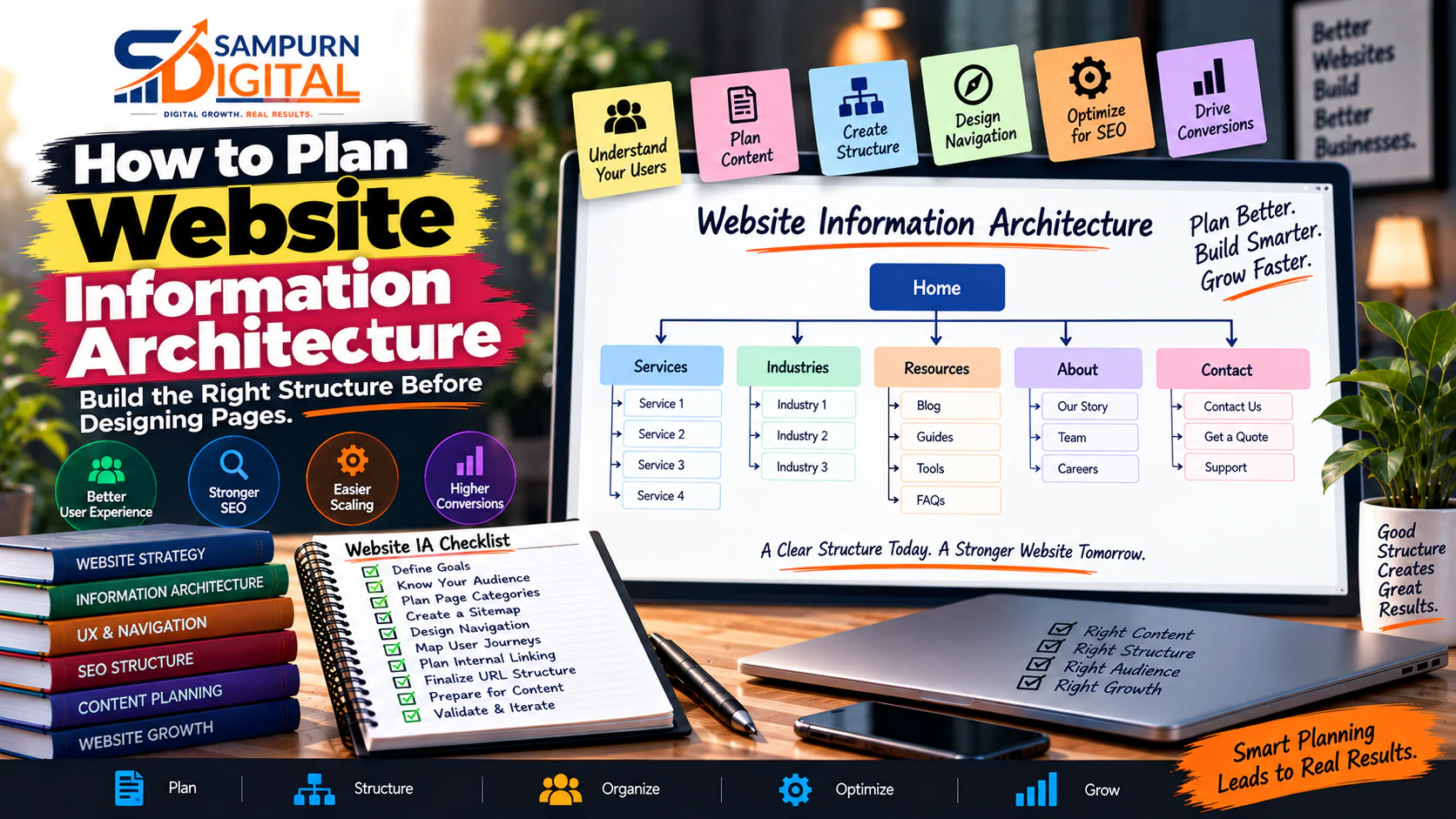
A website redesign usually starts with a question like:
“What should the homepage look like?”
That is often the wrong first question.
Before choosing colors, fonts, animations, sections, cards, buttons, or even a WordPress theme, you need to decide what the website actually contains, how those pages are grouped, how users move between them, and which pages matter most to the business.
That is information architecture.
A well-planned website information architecture helps users find what they need faster, gives search engines a clearer understanding of your website, makes content easier to scale, and gives designers and developers a much cleaner blueprint to work from.
A poorly planned structure creates the opposite:
- Too many pages
- Confusing navigation
- Duplicate content
- Important pages buried several clicks deep
- Random URL structures
- Weak internal linking
- Poor mobile navigation
- SEO cannibalization
- Visitors landing on pages that do not match their intent
- Developers repeatedly changing the site structure during development
The good news is that you can prevent most of these problems before the first page is designed.
This guide explains exactly how.
What Is Website Information Architecture?
Website information architecture, or IA, is the system used to organize and connect the information and pages on a website.
Think of a website like a physical building.
- Pages \= rooms
- Categories \= sections or floors
- Navigation \= hallways
- URLs \= addresses
- Internal links \= doors
- Breadcrumbs \= location signs
- Search \= reception desk
- Sitemap \= building blueprint
The objective is not simply to have every page somewhere on the website.
The objective is to make the relationship between pages logical.
For example, imagine a digital marketing company has these services:
- SEO
- Google Ads
- Social Media Marketing
- Website Development
- Content Marketing
- Email Marketing
A weak structure might put all six services in one generic `/services` page with little supporting architecture.
A stronger structure could be:
Home │ ├── Services │ ├── SEO Services │ ├── Google Ads Services │ ├── Social Media Marketing │ ├── Website Development │ ├── Content Marketing │ └── Email Marketing │ ├── Industries │ ├── Real Estate │ ├── Healthcare │ └── E-commerce │ ├── Case Studies ├── About ├── Blog └── Contact
Now the relationship between the pages is immediately understandable.
Information Architecture vs Sitemap vs Navigation
These terms are often used interchangeably, but they are not exactly the same.
Information architecture
The complete logic behind how information is organized.
Sitemap
A visual or hierarchical representation of the pages that belong in the website.
Navigation
The interface users interact with to move through the website.
URL architecture
The pattern used to represent pages through URLs.
For example:
Information Architecture ↓ Sitemap ↓ Page hierarchy ↓ Navigation ↓ URLs ↓ Internal links
All of these should support the same underlying structure.
Why Should You Plan Information Architecture Before Design?
Because changing the structure after design is expensive.
Suppose a designer creates 25 page layouts.
Then, during development, the business realizes it actually needs:
- 6 service pages
- 4 industry pages
- 12 location pages
- 20 resource articles
- 3 case-study categories
Now the designer needs to redesign menus.
The developer needs new templates.
The SEO team needs to change URLs.
The content team needs new page briefs.
The business owner needs to approve everything again.
A 2-hour planning exercise can prevent days of rework.
Start With Business Goals
Do not begin by copying a competitor's menu.
Start with the business.
Ask:
- What does the company sell?
- Which services generate the most revenue?
- Which services should grow?
- Which products have the highest margins?
- Which audiences are most valuable?
- What actions should visitors take?
- Which pages need organic traffic?
- Which pages will receive paid traffic?
- Which pages support sales conversations?
- Which pages establish trust?
For example:
Suppose a web development company wants to generate more leads for:
- Corporate websites
- E-commerce development
- Custom web applications
Those should not necessarily be treated as three paragraphs on a single “Services” page.
They may deserve separate landing pages because each has a different:
- Search intent
- Buyer
- Problem
- Budget
- Sales process
- Proof requirement
- Conversion message
Identify Your Main User Groups
Next, identify who will actually use the website.
For a digital agency, visitors might include:
| Audience | What They May Want |
|---|---|
| Small business owner | Website, SEO, leads |
| Marketing manager | Campaign support |
| Founder | Growth strategy |
| E-commerce manager | Sales and performance |
| Enterprise buyer | Large development project |
| Existing customer | Support or resources |
Now ask:
This question is much more useful than:
“What pages do we want to put on the website?”
Define User Jobs, Not Just Demographics
Age and location are often less useful for IA than the actual problem someone is trying to solve.
For example:
A business owner may arrive thinking:
“My website gets visitors but no enquiries.”
Another may think:
“I need a new website.”
Another:
“I want more traffic from Google.”
These are different user jobs.
Your architecture should help each person quickly reach the relevant solution.
A simple planning table can look like this:
| User Job | Required Page | Desired Action |
|---|---|---|
| Need a new website | Website Development | Request consultation |
| Need more Google traffic | SEO Services | Request audit |
| Website isn't converting | Website Conversion Resource | Read / contact |
| Need paid leads | Performance Marketing | Request audit |
| Comparing technologies | WordPress vs Custom | Continue research |
This is where website architecture begins to connect with the customer journey.
For a broader customer journey framework, connect the architecture planning process with [how to build a customer journey map for digital marketing](https://chatgpt.com/blog/digital-marketing/how-to-build-a-customer-journey-map-for-digital-marketing).
Audit Your Existing Pages
If this is a redesign, never create a new sitemap from memory.
First inventory the existing website.
Create a spreadsheet containing:
| URL | Page Type | Traffic | Leads | Ranking Keywords | Keep/Merge/Delete |
|---|---|---|---|---|---|
| / | Homepage | 4,500 | 32 | 18 | Keep |
| /seo | Service | 1,800 | 21 | 14 | Keep |
| /old-seo-guide | Blog | 220 | 0 | 3 | Merge |
| /about-old | About | 80 | 0 | 0 | Replace |
| /contact | Conversion | 500 | 45 | — | Keep |
You are looking for four things:
Keep
The page has a clear purpose and should remain.
Improve
The page is valuable but weak.
Merge
Two or more pages cover substantially overlapping intent.
Remove
The page has no meaningful purpose and no reason to remain.
Do not assume every old URL deserves a redesigned version.
Sometimes the best website architecture contains fewer pages, not more pages.
Create a Content Inventory
Group existing and planned content into logical themes.
For example:
SEO ├── SEO Services ├── Technical SEO ├── On-Page SEO ├── Keyword Research ├── Link Building └── SEO Blog
Paid Marketing ├── Google Ads ├── Meta Ads ├── Landing Pages ├── Conversion Tracking └── Paid Marketing Blog
Web Development ├── Website Development ├── E-commerce Development ├── Custom Development ├── Website Performance └── Web Development Blog
This exercise reveals where the website has:
- Too much content
- Too little content
- Duplicate topics
- Missing commercial pages
- Unconnected resources
Group Pages Using Search and User Intent
A common mistake is creating a page for every keyword variation.
For example:
- SEO company
- SEO agency
- SEO services
- SEO services company
- SEO marketing agency
- best SEO company
- SEO experts
You do not automatically need seven pages.
If these keywords represent substantially the same search intent, creating separate pages can create unnecessary duplication and cannibalization.
Instead, ask:
“Would a user expect a different page for this query?”
If not, consolidate the intent.
This is where IA and SEO strategy must work together.
A strong content structure can also use [pillar page architecture that connects 20–30 articles around one topic](https://chatgpt.com/blog/seo/pillar-page-architecture-how-to-connect-2030-articles-around-one-topic).
Now decide what belongs in the primary navigation.
For most business websites, the main navigation should answer:
A typical structure could be:
Logo Services Industries Solutions Work Resources About Contact
But do not copy this blindly.
A smaller business might only need:
Services Work About Blog Contact
The correct navigation depends on the business.
- 14 services
- 11 industries
- 8 resources
- 7 tools
- 6 company pages
- 5 dropdown levels
you have not created better navigation.
You have created a navigation problem.
Build the Sitemap
Now convert your decisions into a sitemap.
For example:
HOME │ ├── SERVICES │ ├── SEO │ ├── Digital Marketing │ ├── Performance Marketing │ ├── Social Media Marketing │ └── Web Development │ ├── INDUSTRIES │ ├── Real Estate │ ├── Healthcare │ └── E-commerce │ ├── CASE STUDIES │ ├── RESOURCES │ ├── Blog │ ├── Guides │ └── Tools │ ├── ABOUT │ └── CONTACT
Then expand important sections.
For example:
SEO │ ├── SEO Services ├── Technical SEO ├── Local SEO ├── E-commerce SEO ├── Keyword Research ├── SEO Audits └── SEO Resources
This becomes the blueprint for the website.
Assign a Purpose to Every Page
Never add a page simply because someone says:
“We should have a page for this.”
Every page should have a job.
Use this framework:
| Page | Primary Purpose |
|---|---|
| Homepage | Explain value proposition |
| Service page | Sell a service |
| Industry page | Demonstrate relevance |
| Case study | Provide proof |
| Blog article | Capture information demand |
| Comparison page | Help evaluation |
| Contact page | Generate enquiries |
| About page | Build trust |
| Resource page | Support research |
If you cannot explain a page's purpose in one sentence, the page may not belong in the architecture.
Define Page Hierarchy
Not every page has equal importance.
A useful hierarchy might be:
Level 1 Homepage
Level 2 Services Industries Resources About Contact
Level 3 Individual services Individual industries Blog Case studies
Level 4 Individual articles Individual case studies Supporting resources
The exact number of levels will vary.
The important principle is:
If a page is strategically important, users should be able to reach it through a clear path.
Plan URL Architecture at the Same Time
Do not wait until development to decide URLs.
For example:
/services/
could contain:
/services/seo/ /services/web-development/ /services/performance-marketing/
And the blog could use:
/blog/seo/ /blog/web-development/ /blog/performance-marketing/
The important thing is consistency.
Avoid structures such as:
/service1 /services-new /seo-company-2 /blog?id=384 /web-development-final
A clean URL should communicate where the page belongs.
Plan Internal Linking Before Writing the Pages
Internal links are not something you add randomly after publishing.
Plan the important connections while creating the architecture.
For example:
SEO Service ↓ SEO Audit ↓ Keyword Research ↓ Technical SEO ↓ Internal Linking ↓ SEO Case Study ↓ Contact
This creates a journey rather than a collection of isolated pages.
Internal links should help answer:
“What is the most useful next page for someone reading this?”
For a deeper framework, see [how to build internal links that actually help users and rankings](https://chatgpt.com/blog/seo/how-to-build-internal-links-that-actually-help-users-and-rankings).
Build Conversion Paths Into the Architecture
A website is not an online brochure.
If the business objective is lead generation, the architecture needs to support conversion.
For example:
Google Search ↓ Educational Article ↓ Related Service ↓ Case Study ↓ Contact / Consultation
Paid Ad ↓ Landing Page ↓ Lead Form ↓ Thank You Page
Social Media ↓ Blog / Resource ↓ Service Page ↓ Enquiry
This is why architecture should be planned alongside marketing—not separately from it.
A visually attractive website can still fail commercially if visitors cannot understand what to do next. See [why a beautiful website can still fail to generate leads](https://chatgpt.com/blog/web-development/why-a-beautiful-website-can-still-fail-to-generate-leads).
Decide Which Pages Need Dedicated Templates
Information architecture should also influence development.
You may have:
- Service pages
- Industry pages
- Blog articles
- Case studies
- Product pages
- Location pages
- Landing pages
Do not design each one from scratch if they follow the same structure.
Instead, identify reusable templates.
For example:
Service page template
Hero ↓ Problem ↓ Solution ↓ Services Included ↓ Process ↓ Benefits ↓ Case Study ↓ FAQs ↓ CTA
Case study template
Client ↓ Challenge ↓ Strategy ↓ Execution ↓ Results ↓ Key Learnings ↓ CTA
This makes the site easier to scale.
Plan Mobile Information Architecture Separately
Desktop navigation can hide complexity inside large menus.
Mobile cannot.
A menu that looks acceptable on desktop may become:
☰ Services ↓ SEO ↓ Technical SEO ↓ SEO Audits
with several taps before the user reaches what they want.
Ask:
- What are the top 5 mobile destinations?
- Can users reach services quickly?
- Is the CTA visible?
- Are dropdowns easy to use?
- Can users return to the previous level?
- Are important pages accessible without excessive tapping?
Mobile IA is not simply desktop IA made smaller.
Decide Where Search, Filters and Categories Belong
Large websites create another problem: discovery.
Consider an e-commerce site with:
- 2,000 products
- 30 categories
- 100 brands
- 15 price ranges
- Multiple attributes
You cannot put everything into navigation.
You need a combination of:
- Categories
- Search
- Filters
- Sorting
- Breadcrumbs
- Related products
- Internal links
But filters can also generate thousands of URL combinations.
Therefore, the architecture needs rules for which pages are:
- Indexable
- Non-indexable
- Canonicalized
- Navigational only
- Search-generated
This should be decided before development.
Use a Page Decision Framework
When you discover a new topic or requirement, do not automatically create a new page.
Ask these questions:
Does the topic have a different search intent?
Yes → Consider a separate page.
No → Continue.
Does it serve a significantly different audience?
Yes → Consider a separate page.
No → Continue.
Does it require a different conversion journey?
Yes → Consider a separate page.
No → Continue.
Can the existing page satisfy the need clearly?
Yes → Add it to the existing page.
No → Create or restructure a page.
This prevents uncontrolled website growth.
Create an IA Planning Spreadsheet
Before design begins, create one master page inventory.
Recommended columns:
| Column | Purpose |
|---|---|
| Page ID | Unique reference |
| Page Name | Working title |
| URL | Planned URL |
| Parent Page | Hierarchy |
| Page Type | Service/blog/case study |
| Audience | Primary user |
| Intent | Informational/commercial/etc. |
| Primary Keyword | Main SEO target |
| Secondary Topics | Supporting topics |
| Business Goal | Why the page exists |
| CTA | Desired action |
| Internal Links In | Pages linking to it |
| Internal Links Out | Pages it links to |
| Status | Planned/design/development/live |
| Owner | Responsible team |
| Priority | High/medium/low |
This spreadsheet becomes the bridge between:
Example: Planning a Website for a Digital Agency
Suppose the agency offers:
- SEO
- Google Ads
- Social Media Marketing
- Website Development
A weak architecture could be:
Home Services About Blog Contact
Everything is hidden inside one generic Services page.
A stronger architecture could be:
Home
Services ├── SEO Services ├── Performance Marketing ├── Social Media Marketing └── Web Development
Results ├── Case Studies └── Client Results
Resources ├── SEO ├── Paid Marketing ├── Social Media └── Web Development
About Contact
Now imagine a visitor searching for website development.
They can move:
Google ↓ Web Development Article ↓ Web Development Service ↓ Case Study ↓ Contact
Someone comparing website technologies might move:
Google ↓ WordPress vs Custom Development ↓ Web Development Service ↓ Project Examples ↓ Consultation
The architecture supports multiple journeys instead of forcing every visitor through the homepage.
How Architecture Should Connect SEO and UX
SEO teams sometimes think in keywords.
Designers often think in interfaces.
Developers think in components.
Business owners think in revenue.
Information architecture is where these priorities meet.
A good page should answer four questions:
Why does this page exist?
Business purpose.
Who is it for?
User purpose.
What should it rank or be discovered for?
Search/content purpose.
What should the visitor do next?
Conversion purpose.
If all four answers are clear, the page has a strong reason to exist.
30-Point Website Information Architecture Checklist
Before handing the sitemap to your designer, check:
Business
- Business goals are documented
- Priority services are identified
- High-value audiences are defined
- Conversion goals are defined
- Commercial pages are identified
Content
- Existing pages have been inventoried
- Duplicate pages have been identified
- Missing pages have been identified
- Content categories are logical
- Each page has a clear purpose
Navigation
- Primary navigation is concise
- Important pages are easy to reach
- Dropdowns have logical groupings
- Navigation reflects user priorities
- Mobile navigation has been considered
SEO
- Page intent is mapped
- Important keywords have page targets
- Cannibalization risks have been reviewed
- URL conventions are consistent
- Internal-link relationships are planned
UX
- User journeys are documented
- Important information is easy to find
- Page hierarchy is logical
- Breadcrumb requirements are clear
- Search/filter requirements are defined
Development
- Page templates are identified
- Dynamic content types are defined
- Redirect requirements are documented
- Technical dependencies are known
- Sitemap is approved before design begins
Common Information Architecture Mistakes
Mistake 1: Starting With Design
The team creates a beautiful homepage before deciding what the website needs.
Architecture → sitemap → content → wireframes → visual design → development.
Mistake 2: Copying a Competitor
A competitor may have 50 pages because their business model requires 50 pages.
That does not mean your business needs the same structure.
Study competitors for ideas—not as your blueprint.
Mistake 3: Creating a Page for Every Keyword
Keyword variations do not automatically represent separate user intents.
Build pages around meaningful search and business intent, not keyword-count inflation.
Mistake 4: Making Everything a Top-Level Page
If everything is important, nothing is prioritized.
Group related content logically.
Mistake 5: Ignoring Existing SEO Equity
During a redesign, deleting or changing URLs without planning redirects can destroy valuable organic visibility.
Inventory existing URLs before restructuring.
Mistake 6: Designing Desktop First and Thinking About Mobile Later
Mobile users may interact with your architecture very differently.
Plan mobile navigation from the beginning.
Mistake 7: Treating the Sitemap as a Technical Document Only
The sitemap should represent the user's journey and business logic—not just a list of URLs for developers.
What Should Happen After Information Architecture?
Once the architecture is approved, move into:
Information Architecture ↓ Sitemap ↓ Keyword / Content Mapping ↓ Wireframes ↓ UX Review ↓ Visual Design ↓ Development ↓ Content Implementation ↓ SEO QA ↓ Launch
Do not jump directly from “We need a new website” to “Here is the homepage design.”
The architecture is the missing middle layer.
Information Architecture Handoff Document
Before development begins, your team should ideally have:
Approved sitemap
Every important page has a defined place.
Page inventory
Every page has an owner and purpose.
URL structure
The naming convention is documented.
Desktop and mobile navigation are defined.
Template list
The team knows which pages use which templates.
SEO mapping
Important search intents have assigned pages.
Internal linking plan
Important relationships between pages are documented.
Conversion paths
Primary user journeys end in meaningful actions.
Redirect plan
Old URLs that change or disappear are documented.
Content requirements
Designers and developers know what content each page requires.
That is a much stronger starting point for development than a folder full of homepage designs.
The Simple Rule: Architecture Before Decoration
Before asking:
“Does the website look modern?”
Ask:
“Can the right visitor find the right information and take the right action?”
Before asking:
“Should we use this animation?”
Ask:
“Does this page belong here?”
Before asking:
“Should we create another blog?”
Ask:
“Does this topic deserve its own page?”
Before asking:
“Which menu looks better?”
Ask:
“What does our visitor actually need to find?”
That is the difference between designing a website and designing a useful digital system.