Most businesses don't have a social media content problem.
They have a production problem.
The ideas are there.
The team knows what the business does.
Someone has a list of content topics.
But every week the same thing happens:
Monday: “What should we post this week?”
Tuesday: “Who is writing the caption?”
Wednesday: “Do we have the creative?”
Thursday: “Can someone approve this?”
Friday: “We need something for tomorrow.”
And suddenly social media becomes a cycle of last-minute requests, WhatsApp messages, missed deadlines and random posts.
The solution isn't necessarily hiring more people.
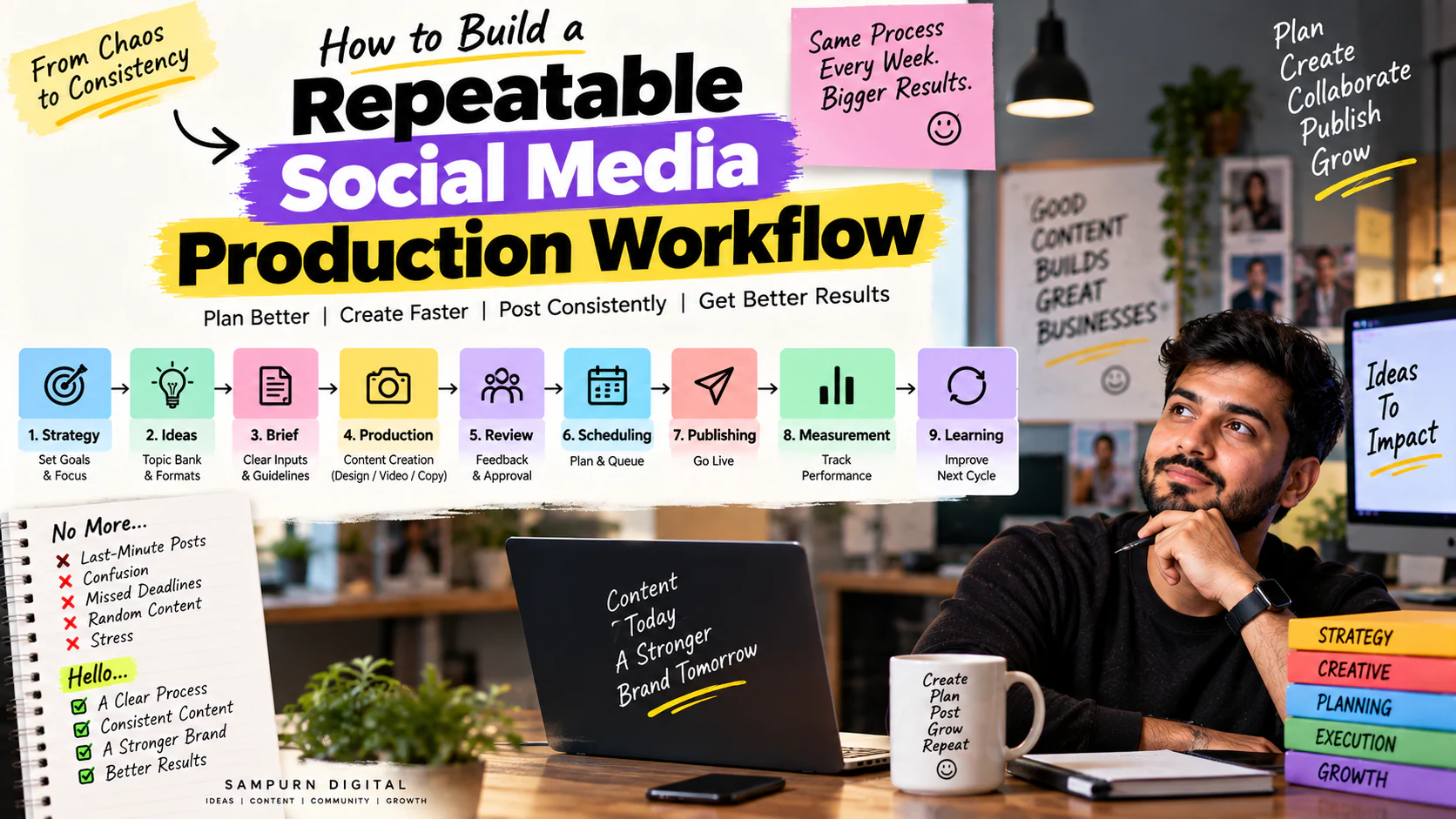
It's building a repeatable social media production workflow.
A good workflow turns:
into a predictable system.
Instead of creating content from scratch every week, your team knows:
- what needs to happen
- who owns each step
- when it needs to happen
- what information is required
- what “done” means
- how performance feeds into the next cycle
This guide shows you how to build that system.
What Is a Social Media Production Workflow?
A social media production workflow is the defined process your team follows to move an idea from concept to published content.
A simple version looks like this:
The important part is that this process is repeatable.
If your social media manager takes leave for three days, the system shouldn't collapse.
If a designer is unavailable, someone else should know what is pending.
If the client asks, “What are we posting next week?”, the answer should already exist.
Why Most Social Media Teams Become Chaotic
The problem usually isn't creativity.
It's the absence of a production system.
Here are the most common failure points.
No clear owner
Everyone is responsible.
Therefore nobody is responsible.
Ideas are stored everywhere
Some ideas are in:
- Google Docs
- Notebooks
- Slack
- Instagram saves
- random screenshots
Nothing is centralized.
Content starts too late
The team begins creating Monday's post on Monday morning.
There is no buffer.
Strategy and production are mixed together
The team is deciding:
while simultaneously trying to produce it.
Approval is undefined
Nobody knows:
- who approves
- what they approve
- how long approval should take
- how revisions are handled
Analytics aren't connected to planning
The team reports last month's numbers but creates this month's content exactly the same way.
That's not a workflow.
That's a reporting exercise.
The Golden Rule: Separate Strategy From Production
One of the biggest improvements you can make is separating these two activities.
Strategy asks:
- Who are we targeting?
- What are our goals?
- What content pillars matter?
- What topics should we own?
- What formats should we use?
- What CTA should we use?
- What did previous content teach us?
Production asks:
- Who writes it?
- Who designs it?
- Who edits the video?
- Who reviews it?
- Who schedules it?
- When does it go live?
If your team tries to answer both sets of questions at the same time, production becomes slow.
Your strategic decisions should happen before the production queue begins.
Start With a Monthly Content Plan
Don't begin the month with an empty calendar.
Build the content direction first.
For example, a B2B digital marketing company might plan:
| Week | Pillar | Objective | Format |
|---|---|---|---|
| Week 1 | SEO | Education | Carousel |
| Week 1 | Paid Ads | Problem solving | Reel |
| Week 1 | Website | Trust | Case study |
| Week 2 | Social Media | Education | Carousel |
| Week 2 | SEO | Awareness | Reel |
| Week 2 | Paid Ads | Lead generation | Case study |
The exact frequency can change.
The principle doesn't:
Your monthly planning should be informed by your analytics. If certain topics, formats or hooks are consistently generating stronger business signals, they should influence the next content cycle.
That's where social analytics becomes a production input rather than just a reporting output.
Create One Central Content Database
Your team needs one source of truth.
A basic content database should include:
| Field | Purpose |
|---|---|
| Content ID | Unique reference |
| Date | Publishing date |
| Platform | Instagram / LinkedIn / Facebook |
| Topic | Subject |
| Pillar | Strategic category |
| Objective | Awareness / education / leads |
| Format | Reel / carousel / static |
| Hook | Opening idea |
| CTA | Desired action |
| Copy Status | Writing progress |
| Creative Status | Design/video progress |
| Approval | Approval status |
| Scheduling | Publishing status |
| Performance | Results |
| Notes | Learnings |
Now anyone can open one place and immediately understand:
What is planned? What's being produced? What's blocked? What's approved? What's already published?
Use Content IDs
This sounds small.
It makes a huge difference.
Instead of saying:
“The Google Ads Reel.”
Give it an ID:
Now your team can discuss:
“SMM-SEP-027 is waiting for approval.”
Instead of:
“Which Reel are you talking about?”
This becomes especially valuable when you have:
- 30+ monthly posts
- multiple platforms
- multiple designers
- multiple clients
- several content formats
Define Every Content Item Before Production
Before a designer starts designing or a video editor starts editing, the content should have a brief.
A useful social media brief contains:
Topic
What are we talking about?
Audience
Who is this for?
Problem
What problem does it solve?
Objective
What should the post achieve?
Core message
What should people remember?
Hook
Why should someone stop scrolling?
Format
Reel, carousel, static, Story, etc.
CTA
What should the viewer do?
References
Examples, screenshots, brand assets or source material.
Success metric
How will we judge it?
Without this information, production becomes guesswork.
Build a Proper Brief Template
Here's a practical example.
Content Brief
Content ID: SMM-SEP-027
Topic: Why Google Ads Leads Are Becoming Expensive
Audience: Small and mid-sized business owners
Objective: Problem awareness
Hook: “Your Google Ads CPL increased. Don't increase your budget yet.”
Core message: Increasing spend isn't always the solution. Diagnose search terms, conversion rate, landing page performance and lead quality first.
Format: Carousel
CTA: “Save this checklist before changing your campaigns.”
Visual direction: Clean diagnostic-style layout.
Reference: Previous paid campaign performance data.
Primary KPI: Saves + qualified enquiries
Now the designer doesn't have to ask:
“What should this post say?”
The brief answers it.
Create Production Stages
Every content item should move through defined stages.
A practical workflow:
This can be managed through a Kanban board.
Use a Kanban Content Board
For example:
| Backlog | Briefed | Writing | Creative | Review | Approved | Scheduled |
|---|---|---|---|---|---|---|
| 5 ideas | 4 | 3 | 6 | 2 | 5 | 4 |
The advantage is visibility.
If the Creative column contains 15 items while Writing contains only 2, you immediately know where the bottleneck is.
This is much better than asking the team:
“What's the status?”
Assign One Owner Per Stage
Every stage needs an accountable owner.
For example:
| Stage | Owner |
|---|---|
| Strategy | Strategist |
| Topic research | Content strategist |
| Copy | Copywriter |
| Design | Designer |
| Video | Video editor |
| Review | Social media manager |
| Approval | Marketing head/client |
| Scheduling | Social media manager |
| Analytics | Performance/content analyst |
You can have multiple contributors.
But there should be one accountable owner.
A useful rule:
If everyone owns it, nobody owns it.
Create a Weekly Production Rhythm
Instead of creating content randomly, give each day a function.
For example:
Monday — Planning
Review:
- analytics
- priorities
- upcoming campaigns
- content calendar
Tuesday — Briefing
Finalize:
- topics
- hooks
- scripts
- references
- CTAs
Wednesday — Production
Focus on:
- designs
- Reels
- editing
- captions
Thursday — Review
Check:
- brand consistency
- factual accuracy
- spelling
- CTA
- visual quality
Friday — Scheduling + Analysis
Schedule approved content and review recent performance.
The exact days aren't important.
The rhythm is.
Build a Content Buffer
Never operate with zero buffer.
If tomorrow's post is still being designed tonight, your workflow is fragile.
A healthier system is:
For example:
Week 1
Planning next month.
Week 2
Producing upcoming content.
Week 3
Approving and scheduling.
Week 4
Publishing + optimizing.
This gives your team room to handle:
- urgent campaigns
- client revisions
- employee absence
- trend opportunities
- breaking news
Batch Similar Tasks
Switching between different tasks destroys efficiency.
Imagine a designer doing:
- Instagram carousel
- LinkedIn banner
- Reel thumbnail
- Story
- Carousel
- Video cover
- back to carousel
That's unnecessary context switching.
Instead:
Then:
Then:
The same applies to writing.
Write multiple captions together.
Write multiple Reel scripts together.
Review multiple posts together.
Batching makes production more predictable.
Create Reusable Templates
You don't need to design every post from zero.
Create templates for:
- Educational carousel
- Checklist carousel
- Quote
- Case study
- Testimonial
- Data post
- Before/after
- Promotional post
- Reel cover
- Story
- Announcement
The template should standardize:
- typography
- spacing
- logo placement
- visual hierarchy
- CTA placement
But don't make every post visually identical.
Templates should provide structure, not creative limitations.
Build a Content Asset Library
Create organized folders.
For example:
Social Media │ ├── Brand Assets │ ├── Logos │ ├── Fonts │ └── Brand Guidelines │ ├── Templates │ ├── Carousel │ ├── Reels │ └── Stories │ ├── Photos │ ├── Videos │ ├── Client Assets │ ├── Testimonials │ ├── Case Studies │ └── Published Content
Now the team doesn't waste 30 minutes looking for the correct logo.
Create an Approval System
Approval is often the biggest hidden bottleneck.
Avoid:
“Please check this.”
Instead define exactly what approval means.
Approval checklist
Check:
- Is the message correct?
- Is the hook strong?
- Is the design readable?
- Is the brand represented correctly?
- Is the CTA clear?
- Are facts verified?
- Is the spelling correct?
- Is the platform format correct?
Then the approver only needs to respond:
or
Specific feedback reduces revision cycles.
Set Revision Rules
Unlimited revisions can destroy a production workflow.
Define a reasonable process.
For example:
Round 1
Major content and structural changes.
Round 2
Minor corrections.
Final
Only factual or critical corrections.
The goal isn't to prevent improvement.
It's to prevent:
“One more small change…”
from continuing forever.
Use a “Definition of Done”
A post isn't finished because the designer says:
“Design completed.”
Define what completed actually means.
For a Reel:
- Script approved
- Video edited
- Captions added
- Cover created
- CTA added
- Brand check completed
- Final export checked
- Caption completed
- Hashtags/keywords reviewed
- Approval received
- Scheduled
Only then is it:
This eliminates ambiguity.
Connect Analytics Back to Production
This is where a mature workflow becomes powerful.
Your production system shouldn't end when a post is published.
Performance should feed the next planning cycle.
For example:
Performance measured
Winning topic identified
Winning hook identified
Winning format identified
New variation created
Production queue updated
That's why using social analytics to decide what to post next should be part of the workflow rather than a separate activity.
Build a Content Learning Database
Don't only store performance numbers.
Store the lesson.
Example:
| Content | Result | Learning |
|---|---|---|
| SEO mistakes Reel | High reach | Problem hooks attract attention |
| Website checklist | High saves | Practical checklists create value |
| Case study | High leads | Proof drives commercial intent |
| Generic quote | Low action | Weak connection to business problem |
The next content planner should be able to read the database and understand:
Create a “Repurpose Queue”
Every strong piece of content should have a second life.
For example:
Blog
LinkedIn post
Instagram carousel
Reel
Story
Lead magnet
One strategic idea can become multiple assets.
This reduces the pressure to constantly invent new topics.
Example: One Topic → Seven Assets
Suppose your core topic is:
You could create:
Asset 1
Reel:
“Getting traffic but no leads? Check these 5 things.”
Asset 2
Carousel:
“7 reasons visitors don't convert.”
Asset 3
Story:
Poll:
“Does your website generate enquiries?”
Asset 4
LinkedIn post:
“Traffic is not the same as demand.”
Asset 5
Case study:
“From 1.2% to 3.8% conversion rate.”
Asset 6
Blog:
Complete website conversion guide.
Asset 7
Lead magnet:
Website conversion checklist.
Now production becomes much more efficient because one strategic idea feeds multiple channels.
Create a Content Priority Score
Not every content request deserves equal production effort.
Score each idea.
For example:
| Factor | Score |
|---|---|
| Business relevance | 1–5 |
| Audience relevance | 1–5 |
| Strategic importance | 1–5 |
| Conversion potential | 1–5 |
| Repurposing potential | 1–5 |
Maximum:
Example:
Topic A
“Marketing meme”
Business relevance: 2 Audience relevance: 4 Strategic importance: 1 Conversion potential: 1 Repurposing: 2
Topic B
“How to reduce wasted Google Ads spend”
Business relevance: 5 Audience relevance: 5 Strategic importance: 5 Conversion potential: 5 Repurposing: 5
Topic B should probably receive more production attention.
Separate Content by Production Complexity
Not every post requires the same resources.
Create three levels.
Level 1 — Fast
Examples:
- Text post
- Simple graphic
- Quote
- Quick Story
Production time:
Level 2 — Standard
Examples:
- Carousel
- Educational Reel
- Case-study post
Production time:
Level 3 — Premium
Examples:
- Professionally filmed Reel
- Customer case study
- Campaign video
- High-production brand content
Production time:
This helps your team plan capacity realistically.
Calculate Production Capacity
Suppose you have:
- 1 copywriter
- 1 designer
- 1 video editor
And you want:
Don't assume that means the team can comfortably produce 20 posts.
Calculate capacity.
Example:
Copywriter
20 posts × 45 minutes
\= 15 hours
Designer
12 carousels × 90 minutes
\= 18 hours
Video editor
8 Reels × 2 hours
\= 16 hours
Then add:
- meetings
- revisions
- approvals
- emergencies
- campaign work
Now you can determine whether the planned calendar is realistic.
Use SLA Rules for Internal Teams
A production workflow needs deadlines between stages.
For example:
| Stage | Target |
|---|---|
| Brief → Copy | 1 business day |
| Copy → Design | 1 business day |
| Design → Review | 1 business day |
| Review → Approval | 1 business day |
| Approval → Scheduling | Same day |
These aren't universal rules.
Set them according to your team.
But define them.
Otherwise one delayed approval can move the entire content calendar.
Create an Emergency Content Process
A good workflow should handle unexpected situations.
Suppose:
- a trend appears
- a client announces something
- an important industry update happens
- a campaign changes
- a post needs to be replaced
Don't destroy the entire calendar.
Create an emergency lane.
Emergency workflow
Idea
Quick brief
Rapid copy
Rapid creative
One-level approval
Publish
Then return to the normal production queue.
Don't Let Trends Destroy Strategy
Trending content can be useful.
But your team shouldn't suddenly abandon the content strategy because a topic is trending.
Ask:
If yes:
If no:
A trend is an opportunity—not an obligation.
Build a Weekly Production Meeting
Keep it short.
A 30-minute meeting can cover:
What was published?
What performed?
What is blocked?
What needs approval?
What is being produced?
What changed in business priorities?
What should we test next?
No long presentations.
No reading the entire content calendar.
The objective is:
Your Complete Social Media Workflow
A mature workflow can look like this:
The 80/20 Production Principle
Your workflow should protect your team from spending most of its time on low-value production tasks.
Focus your best effort on:
- high-priority content
- conversion content
- strong educational assets
- case studies
- original insights
- proven winning formats
Automate or simplify:
- repetitive resizing
- basic formatting
- scheduling
- content status updates
- recurring reporting
- asset organization
The goal isn't to produce more content.
It's to produce better content with less operational friction.
A Practical Weekly Workflow for a Small Team
If you're a small business with 2–4 people, use this simplified model.
Monday
Analytics + planning
Tuesday
Write 5–7 pieces of content
Wednesday
Design/edit all assets
Thursday
Review + revisions
Friday
Schedule next week's content
Daily
Community management + urgent opportunities
This gives you a buffer instead of producing every post on the day it is published.
A Practical Workflow for an Agency
If you're managing multiple clients, add another layer.
Client level
Strategy → Monthly calendar → Approval
Production level
Brief → Copy → Design → Review
Publishing level
Scheduling → Publishing → Community management
Performance level
Reporting → Insights → Strategy adjustment
Use client-specific dashboards and standardized templates so your team doesn't reinvent the workflow for every account.
Your Social Media Workflow Checklist
Before launching the system, confirm:
Strategy
- Audience defined
- Goals defined
- Content pillars defined
- Content objectives defined
Planning
- Monthly calendar created
- Topics selected
- Formats assigned
- CTAs assigned
Production
- Content briefs created
- Owners assigned
- Deadlines assigned
- Assets organized
Review
- Quality checklist defined
- Approval owner defined
- Revision process defined
Publishing
- Scheduling process defined
- Platform specifications checked
- Publishing owner assigned
Measurement
- KPIs defined
- Performance recorded
- Insights documented
- Winning content tagged
Optimization
- Winners repurposed
- Weak content reviewed
- New tests added
- Next calendar updated
The Most Important Metrics for the Workflow Itself
Your content performance isn't the only thing you should measure.
Measure the production system.
Track:
On-time publishing rate
Example:
27 posts published on time ÷ 30 planned
\= 90%
Revision rate
If 18 of 30 posts need revisions:
\= 60%
That's a workflow problem worth investigating.
Approval turnaround
Measure the average time from:
If approval takes 3 days, production may not be the bottleneck.
Production cycle time
Measure:
If this takes 7 days, find out why.
Content utilization
Measure how many planned assets actually get published.
Example:
30 planned 27 published
Utilization:
These metrics tell you whether your content machine is actually healthy.
Diagnose Workflow Bottlenecks
If content isn't being published consistently, ask:
Is planning slow?
Problem:
No clear calendar.
Fix:
Monthly planning system.
Is writing slow?
Problem:
Weak briefs.
Fix:
Standardized content brief.
Is design slow?
Problem:
No templates or unclear direction.
Fix:
Template library + visual briefs.
Is approval slow?
Problem:
Too many decision-makers.
Fix:
One accountable approver.
Is publishing slow?
Problem:
No scheduling process.
Fix:
Batch scheduling.
Is content underperforming?
Problem:
Production isn't informed by analytics.
Fix:
Connect performance data to planning.
What a Mature Workflow Looks Like
A mature social media team should eventually be able to answer these questions instantly:
That's operational maturity.
The Real Goal Isn't More Content
This is worth emphasizing.
A business doesn't need:
It needs:
A production workflow makes that possible.
It reduces:
- last-minute work
- duplicated effort
- missed deadlines
- unclear ownership
- unnecessary revisions
- inconsistent quality
And it increases:
- consistency
- speed
- accountability
- learning
- scalability
The Complete Social Media Production Operating System
Put everything together:
This is the system that allows social media production to scale.