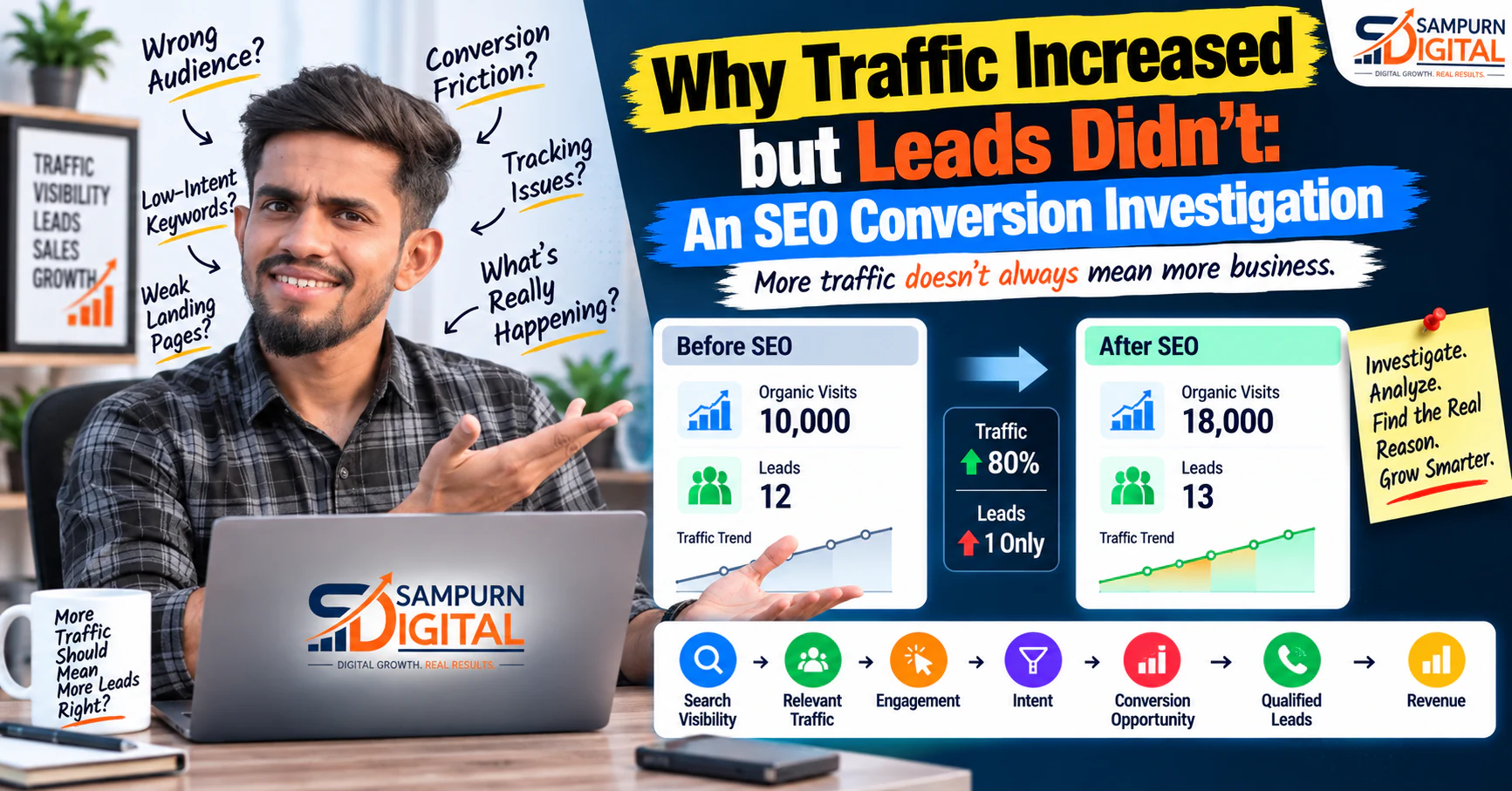
More organic traffic sounds like a clear SEO win.
But what happens when traffic increases and leads stay flat?
That is where SEO reporting needs to go deeper.
Imagine your website generated:
Then after months of SEO work:
Traffic increased by 80%.
Leads increased by only one.
At first glance, the SEO campaign looks successful because visibility improved.
From a business perspective, however, something is wrong.
The website may be attracting the wrong audience, ranking for low-intent queries, sending visitors to weak landing pages, creating conversion friction or failing to connect informational traffic with commercial opportunities.
This article explains how to investigate the gap between organic traffic and lead generation and identify where the SEO conversion journey is losing potential customers.
First: More Organic Traffic Is Not Always Better
Traffic is only one part of the SEO equation.
A stronger model is:
Search Visibility ↓ Relevant Organic Traffic ↓ Engagement ↓ Intent ↓ Conversion Opportunity ↓ Qualified Lead ↓ Revenue
If the first three stages improve but the later stages don't, you have a conversion investigation problem, not necessarily a traffic problem.
For example:
| Metric | Before SEO Improvement | After |
|---|---|---|
| Organic Visits | 8,000 | 14,000 |
| Ranking Keywords | 450 | 780 |
| CTA Clicks | 160 | 170 |
| Leads | 28 | 30 |
| Qualified Leads | 16 | 17 |
Visibility improved significantly.
Business outcomes barely changed.
That tells you where the investigation needs to begin.
Why Can Traffic Increase Without Leads Increasing?
There are several possible reasons.
The most common include:
- Traffic is coming from low-intent searches
- The wrong audience is discovering the website
- Informational pages dominate organic traffic
- CTAs don't match visitor intent
- Landing pages create friction
- Internal linking doesn't guide visitors
- The offer isn't relevant to the page
- Forms are difficult to complete
- Website UX creates abandonment
- Lead tracking is incomplete
Don't assume there is one single cause.
The problem often exists across multiple stages of the journey.
Check Whether the New Traffic Is Relevant
Start with the simplest question:
Who are the additional visitors?
Suppose organic traffic increased because your website now ranks for:
- What is SEO?
- SEO meaning
- SEO definition
- SEO tips
- SEO examples
Those searches may produce significant traffic.
But they may not produce many business enquiries.
Now compare them with:
- SEO agency
- SEO services
- SEO consultant
- SEO audit service
- SEO company for eCommerce
The second group generally has stronger commercial relevance.
The lesson is important:
Compare Traffic Intent Before and After
Don't only compare traffic volume.
Compare the intent of the traffic.
Create a simple analysis:
| Query Type | Traffic | Commercial Intent |
|---|---|---|
| Informational | High | Low |
| Problem-focused | Medium | Medium |
| Solution-focused | Medium | Medium-High |
| Service-focused | Low | High |
| Brand-focused | Medium | High |
Then compare the mix before and after your SEO growth.
You may discover that traffic increased mainly because your website expanded its informational visibility.
That's not necessarily bad.
It simply means you need to build the bridge between education and commercial action.
Find Which Pages Created the Traffic Increase
Website-wide traffic can hide what is really happening.
Suppose organic traffic increased by 50%.
Which pages caused the increase?
Maybe:
- 60% came from blog articles
- 25% came from category pages
- 10% came from service pages
- 5% came from other pages
Now investigate the blog traffic.
If most new visitors land on informational articles, low direct conversion may be expected.
The next question becomes:
Are those pages creating a useful path toward higher-intent content and services?
Separate Informational Traffic From Commercial Traffic
Not every organic landing page should have the same conversion expectation.
Consider these examples.
Informational Page
Likely visitor:
"I want to understand this topic."
Commercial Investigation Page
Likely visitor:
"I'm evaluating whether I need this service."
These two pages can both be successful.
But their conversion rates may naturally differ.
Don't judge an informational article by the same standard as a service landing page.
Instead, give each page an appropriate next action.
Review the Page-to-Lead Journey
Map what happens after a visitor lands.
For example:
Google ↓ Blog Article ↓ Related Article ↓ Service Page ↓ Contact / Audit ↓ Lead
Now compare it with:
Google ↓ Blog Article ↓ Exit
If thousands of visitors follow the second journey, your SEO may be creating visibility without enough progression.
This is where contextual internal linking becomes important.
For example, a page discussing declining rankings can naturally direct a visitor toward [how to turn a page that ranks into a page that generates leads](https://www.sampurndigital.com/blog/seo/how-to-turn-a-page-that-ranks-into-a-page-that-generates-leads).
The objective isn't to force a sale.
It's to provide the next useful step.
Check Whether Your CTA Matches Search Intent
A CTA should answer:
What would this visitor reasonably want to do next?
For early-stage visitors:
- Download a checklist
- Read a related guide
- See examples
- Learn the process
For solution-aware visitors:
- Get an audit
- Explore services
- Request a strategy
- Speak with an expert
For high-intent visitors:
- Request a quote
- Book a consultation
- Start a project
- Contact the team
A generic:
"Contact Us"
may be less useful than:
"Get a Free SEO Audit"
because the second CTA communicates a specific value exchange.
Check Whether the Offer Is Relevant
A CTA can be perfectly designed and still fail if the offer doesn't match the article.
Imagine someone reads:
Then sees:
Buy Our Web Development Package
That's a weak connection.
A more relevant path could be:
The closer the relationship between the visitor's problem and your offer, the more natural the conversion becomes.
Check Your Internal Linking Structure
Internal links can help both SEO and user journeys.
Imagine a visitor reads about keyword research.
You could connect that article to:
- Keyword mapping
- Topic clusters
- Content planning
- Internal linking
- SEO services
This creates a deeper journey.
For websites with growing content libraries, [how to build internal links that actually help users and rankings](https://www.sampurndigital.com/blog/seo/how-to-build-internal-links-that-actually-help-users-and-rankings) provides a useful framework for creating contextual connections.
Internal links should answer a real next question.
Investigate the Landing Page
Suppose a visitor clicks a CTA and reaches your service page.
Ask:
- Does the page match the promise?
- Is the headline clear?
- Is the service explained?
- Is the value proposition obvious?
- Is the CTA visible?
- Is the form easy?
- Are trust elements available?
- Does the page work properly on mobile?
A strong article can still lose conversions because of a weak destination page.
Your website architecture should support the entire journey, not just the article itself.
A useful framework is [lead generation website architecture for service businesses](https://www.sampurndigital.com/blog/web-development/lead-generation-website-architecture-for-service-businesses).
Check Form Friction
A visitor may want to contact you but abandon the process.
Common friction points include:
- Too many fields
- Unclear instructions
- Required information that isn't necessary
- Poor mobile form design
- Technical errors
- Slow loading
- No confirmation after submission
Compare:
High Friction
Name Company Job Title Industry Address Phone Email Budget Team Size Message Timeline Multiple Questions
with:
Lower Friction
Name Email Phone What do you need help with?
The correct form length depends on the business.
The principle is simple:
Ask for what you actually need at that stage.
Check Mobile Conversion Experience
Organic search can bring a significant amount of mobile traffic.
A page may look excellent on desktop but create problems on smaller screens.
Check:
- CTA visibility
- Button size
- Form usability
- Text readability
- Navigation
- Page speed
- Pop-ups
- Sticky elements
- Tap targets
A visitor should not have to fight the interface to contact you.
Check Whether the Website Is Fast Enough
Slow experiences can affect the overall quality of the conversion journey.
Look beyond the blog itself.
Check:
- Landing pages
- Forms
- Service pages
- Images
- Scripts
- Third-party integrations
- Mobile performance
If a visitor clicks a CTA and waits for a slow page to load, some potential conversions can disappear before the page is even seen.
Check Whether the Traffic Is Landing on the Right Page
SEO sometimes creates unexpected ranking pages.
A website may rank for a valuable query with a page that isn't designed for that audience.
For example:
SEO services for small business
Generic SEO definition article
The page may rank.
But it isn't the best destination for someone evaluating an SEO service.
This can create a mismatch:
High-Intent Query ↓ Low-Intent Landing Page ↓ Low Conversion
The better outcome is:
High-Intent Query ↓ Relevant Service Page ↓ Clear Offer ↓ Lead
Review Your Ranking Query Mix
Your Search Console data can reveal an important pattern.
Suppose traffic increased because your website gained visibility for 1,000 additional queries.
That's useful.
But ask:
- Which queries?
- Which pages?
- Which countries or locations?
- Which devices?
- Which positions?
- Which queries have commercial relevance?
You may find that the additional traffic comes primarily from queries that are informational and broad.
That changes how you should evaluate the SEO result.
Investigate Content Decay and Content Quality
Traffic may increase overall while individual high-value pages decline.
For example:
Website Traffic ↑ Overall +30%
But:
Service Page A ↓ \-15%
Service Page B ↓ \-20%
Blog Traffic ↑ +70%
The website looks healthier at the top level.
But valuable commercial pages are losing visibility.
That's why page-level analysis matters.
For declining pages, use [a practical content decay recovery framework](https://www.sampurndigital.com/blog/seo/content-decay-how-to-find-pages-losing-traffic-and-recover-them) before assuming that publishing more content is the answer.
Check Whether Existing Content Needs Improvement
Sometimes the problem isn't a lack of content.
It's that your existing content doesn't move visitors forward.
Look at:
- Missing commercial context
- Weak examples
- Poor internal links
- Outdated information
- Unclear next steps
- Weak CTA placement
- Poor content structure
Instead of publishing another article, consider [how to improve existing content instead of publishing more blogs](https://www.sampurndigital.com/blog/seo/how-to-improve-existing-content-instead-of-publishing-more-blogs).
This can turn an existing traffic asset into a more useful part of the customer journey.
Check Whether Your Offer Is Strong Enough
Sometimes visitors understand the service but don't see a compelling reason to act.
Ask:
Why should someone contact us now?
Possible value propositions include:
- Free audit
- Strategy consultation
- Custom assessment
- Website review
- Personalized recommendations
- Project estimate
The offer should be truthful and genuinely useful.
Avoid fake urgency or exaggerated promises.
Check Trust Before Asking for the Lead
A visitor may understand your offer and still hesitate.
Trust can come from:
- Clear service information
- Transparent process
- Relevant experience
- Genuine testimonials
- Portfolio examples
- Case studies
- Business information
- Clear contact details
- Professional website experience
Don't manufacture proof.
Use real evidence.
Check Lead Tracking Before Changing SEO
This is one of the most important steps.
You may think:
"SEO generated traffic but no leads."
But the actual problem could be:
The leads aren't being tracked correctly.
Check whether you are measuring:
- Form submissions
- Phone calls
- WhatsApp enquiries
- Email clicks
- Bookings
- Demo requests
- Purchases
If tracking is incomplete, your conclusion may be wrong.
Always verify the measurement system before changing the strategy.
Separate Leads From Qualified Leads
Twenty leads aren't necessarily better than ten.
Imagine:
Month 1
10 leads 7 qualified
Month 2
25 leads 5 qualified
Lead volume increased.
Business value decreased.
That's why the real funnel should be:
Traffic ↓ Leads ↓ Qualified Leads ↓ Sales Opportunities ↓ Customers ↓ Revenue
SEO should ultimately attract the right people, not simply more form submissions.
Connect SEO With the Rest of the Funnel
Organic search is one acquisition channel.
Visitors may interact with:
- SEO
- Paid advertising
- Social media
- Website content
- Retargeting
- Sales
A visitor might discover your brand through Google, leave, see a social post later, return through a paid campaign and finally submit a form.
This is why a complete [traffic → lead → sale funnel framework](https://www.sampurndigital.com/blog/digital-marketing/traffic-lead-sale-how-to-find-where-your-funnel-is-losing-money) is useful when investigating where revenue is being lost.
Don't Judge SEO by Last-Click Attribution Alone
Organic search may introduce a prospect without receiving the final conversion credit.
For example:
Google Search ↓ Blog ↓ Exit ↓ Social ↓ Return ↓ Direct ↓ Lead
If you only evaluate the final source, you may underestimate the role of organic search.
Your measurement model should reflect how customers actually interact with your marketing channels.
Build a Traffic-to-Lead Diagnostic Table
Create a page-level report:
| Page | Organic Visits | Intent | CTA Clicks | Leads | Qualified Leads | Priority |
|---|---|---|---|---|---|---|
| Page A | 8,000 | Informational | 90 | 5 | 2 | Medium |
| Page B | 3,500 | Commercial | 180 | 28 | 15 | High |
| Page C | 6,000 | Problem-aware | 120 | 12 | 7 | High |
| Page D | 2,000 | Informational | 15 | 1 | 0 | Low |
This immediately shows where optimization can create the biggest opportunity.
Find the Biggest Drop-Off
A useful funnel might look like:
20,000 Organic Visitors ↓ 5,000 Engaged Visitors ↓ 1,000 CTA Interactions ↓ 300 CTA Clicks ↓ 100 Form Starts ↓ 35 Leads ↓ 18 Qualified Leads ↓ 6 Customers
Now ask:
If only 20 people click the CTA from 1,000 engaged visitors, your CTA or offer may need work.
If 100 people start the form but only 35 complete it, the form may have friction.
If 35 leads produce only 2 qualified opportunities, traffic quality or offer targeting may be the bigger issue.
Create a Priority Framework
Not every page deserves the same level of optimization.
Use four factors:
Traffic
How many relevant visitors arrive?
Intent
How close are they to a business decision?
Conversion
How effectively does the page create action?
Business Value
How valuable is the resulting lead?
A simple prioritization model:
| Traffic | Intent | Conversion | Priority |
|---|---|---|---|
| High | High | Low | Very High |
| High | Low | Low | Medium |
| Low | High | Low | High |
| Low | Low | Low | Low |
| High | High | High | Maintain |
The best optimization opportunities are often pages with high relevant traffic + high intent + weak conversion.
What Should You Fix First?
If traffic is increasing but leads aren't, work through this order:
- Verify Tracking ↓
- Check Traffic Quality ↓
- Analyze Search Intent ↓
- Identify Top Landing Pages ↓
- Review CTA Relevance ↓
- Check Landing Pages ↓
- Reduce Conversion Friction ↓
- Improve Internal Links ↓
- Improve Content ↓
- Measure Qualified Leads
This prevents random optimization.
Don't Immediately Chase More Traffic
This is one of the most common mistakes.
If the website already has relevant traffic but poor conversion, doubling traffic may simply double the number of visitors who don't convert.
Fix the existing funnel first.
For example:
10,000 visitors × 0.5% conversion \= 50 leads
10,000 visitors × 1% conversion \= 100 leads
The traffic didn't change.
The value of the traffic did.
When Should You Increase SEO Traffic Again?
Once the conversion journey is working reasonably well, you can return to traffic growth.
Then the strategy becomes:
Improve Conversion ↓ Grow Relevant Traffic ↓ Improve Conversion Again ↓ Expand Commercial Keywords ↓ Scale Content ↓ Measure Revenue
SEO and CRO should continuously inform each other.
Common Mistakes in SEO Conversion Investigation
Mistake 1: Celebrating Traffic Without Checking Leads
Traffic is an input, not the final business outcome.
Mistake 2: Blaming SEO Immediately
The issue may be the website, offer, tracking or sales process.
Mistake 3: Treating Every Visitor as a Potential Buyer
Intent matters.
Mistake 4: Using the Same CTA Everywhere
Different visitors need different next steps.
Mistake 5: Ignoring Landing Pages
A good organic result can lead to a poor conversion experience.
Mistake 6: Measuring Only Form Submissions
Calls, bookings, purchases and qualified leads can matter too.
Mistake 7: Publishing More Content Automatically
Sometimes existing traffic assets need optimization rather than replacement.
Mistake 8: Ignoring Paid and Social Channels
Customers can interact with multiple channels before converting.
SEO Conversion Investigation Checklist
Traffic
- Organic traffic increased
- Traffic sources reviewed
- Top landing pages identified
- Query mix analyzed
- Audience relevance checked
Intent
- Search intent reviewed
- Informational traffic separated
- Commercial traffic identified
- High-intent pages prioritized
Content
- Content quality reviewed
- Search intent matched
- Outdated content identified
- Relevant internal links added
- Content gaps addressed
Conversion
- CTA relevance checked
- CTA placement reviewed
- Offer reviewed
- Landing page reviewed
- Form friction checked
- Mobile experience checked
- Trust elements reviewed
Measurement
- Form tracking verified
- Call tracking verified
- Conversion events checked
- Qualified leads tracked
- Sales opportunities tracked
- Revenue tracked where possible