Growing one local business through SEO is challenging enough.
Growing 10, 20, 50 or 100 locations is a completely different problem.
You are no longer managing one Google Business Profile, one location page and one local audience.
You are managing a system.
Every location needs to be discoverable for relevant local searches while maintaining consistent business information, useful location pages, strong internal linking and a scalable process for creating and maintaining local signals.
That is why a local SEO strategy for multi location businesses should not simply mean creating more city pages.
The real objective is:
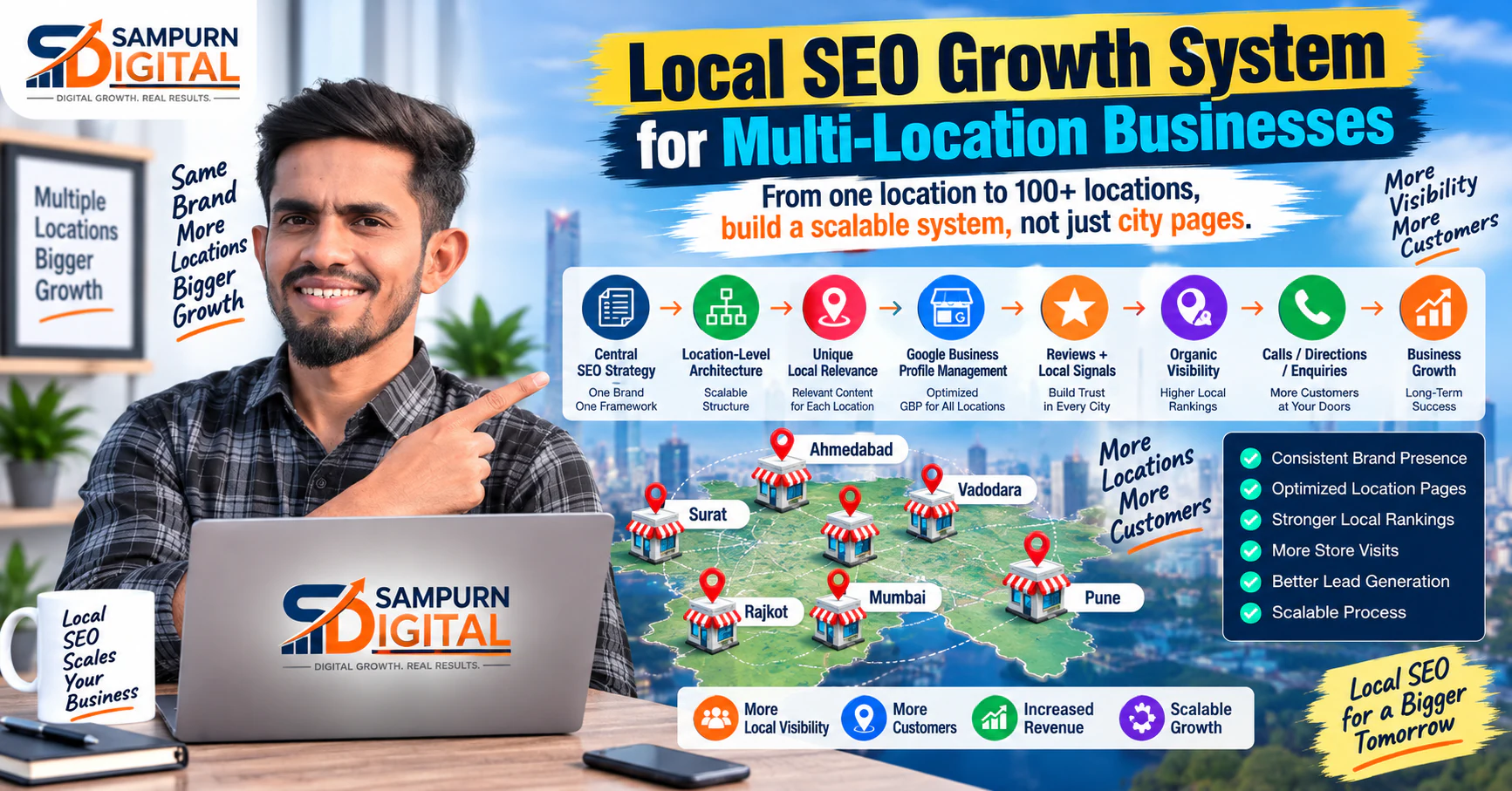
Central SEO Strategy ↓ Location-Level Architecture ↓ Unique Local Relevance ↓ Google Business Profile Management ↓ Reviews + Local Signals ↓ Organic Visibility ↓ Calls / Directions / Enquiries ↓ Business Growth
This guide explains how to build a scalable multi-location local SEO system without creating hundreds of thin, repetitive pages.
First: Don't Treat Every Location Like a Separate Website
A common mistake is managing every location independently.
That can create:
- Duplicate work
- Inconsistent information
- Weak internal linking
- Different optimization standards
- Poor reporting
- Difficult maintenance
Instead, build a central framework and allow each location to have its own local relevance.
Think:
Your central system should define:
- URL structure
- Location-page template
- Internal linking rules
- Metadata standards
- GBP process
- Review process
- Content standards
- Tracking
- Reporting
Each location then gets its own local layer.
What Makes Multi-Location SEO Different?
A single-location business might optimize around:
A multi-location business has another dimension:
For example:
Brand ├── Location A │ ├── Service 1 │ ├── Service 2 │ └── Service 3 │ ├── Location B │ ├── Service 1 │ ├── Service 2 │ └── Service 3 │ └── Location C ├── Service 1 ├── Service 2 └── Service 3
This creates a much larger architecture.
Without planning, the site can quickly become difficult for users and search engines to understand.
Start With a Location Inventory
Before optimizing anything, create a complete location database.
Track:
| Location | Address | Phone | GBP | Location Page | Reviews | Status |
|---|---|---|---|---|---|---|
| Location A | Yes | Yes | Yes | Yes | Active | Optimized |
| Location B | Yes | Yes | Yes | No | Active | Needs page |
| Location C | Yes | Yes | Yes | Yes | Low | Needs work |
Include:
- Official business name
- Address
- Phone number
- Opening hours
- Website URL
- Location URL
- Google Business Profile status
- Primary category
- Services
- Review count
- Review rating
- Local keywords
- Conversion data
This becomes the foundation of the local SEO scalability system.
Create a Clear Location URL Structure
Your URLs should make the site architecture easy to understand.
For example:
example.com/locations/ example.com/locations/vapi/ example.com/locations/surat/ example.com/locations/ahmedabad/
Or, depending on the business structure:
example.com/surat/ example.com/vapi/ example.com/ahmedabad/
The important point is consistency.
Avoid creating random URL structures such as:
/city-service /service-city /branch123 /location-name-2
A predictable structure makes expansion easier.
Build a Location Hub Page
If you have many branches, create a central location directory.
For example:
Our Locations
- Vapi
- Surat
- Ahmedabad
- Vadodara
- Mumbai
Each location links to its dedicated page.
The architecture becomes:
Homepage ↓ Locations ↓ City / Location Page ↓ Relevant Services
This helps users find the correct branch without navigating through unrelated pages.
Build Useful Location Landing Pages
A location page should not simply say:
"Best service in Surat."
and replace "Surat" with another city 50 times.
That creates a weak page.
A useful location page should answer:
- Where is the business?
- What services are available?
- Who does the location serve?
- What makes this location relevant?
- How can someone contact the location?
- What are the opening hours?
- How can they get directions?
- What questions do local customers ask?
The page should provide real local value.
Avoid Duplicate Location Pages
Suppose you have 30 locations.
Creating 30 pages with exactly the same copy except for the city name is not a strong strategy.
Instead, build a reusable structure while adding genuinely location-specific information.
For example:
Shared structure
- Introduction
- Services
- FAQs
- Contact
- CTA
Local information
- Address
- Nearby areas
- Local service availability
- Location-specific photos
- Parking/access information
- Local testimonials
- Branch-specific FAQs
- Actual operating hours
This creates consistency without making every page identical.
Map Services to Locations
Not every branch necessarily offers every service.
Create a matrix.
| Location | Service A | Service B | Service C |
|---|---|---|---|
| Vapi | ✓ | ✓ | ✓ |
| Surat | ✓ | ✓ | — |
| Ahmedabad | ✓ | — | ✓ |
This matters for both users and SEO.
Don't create a page for a service at a location if the business doesn't actually provide that service there.
The SEO strategy must reflect the real business.
Build Location + Service Architecture Carefully
For larger businesses, you may eventually have:
Location ↓ Services ↓ Supporting Content
For example:
/surat/ /surat/service-a/ /surat/service-b/
/vapi/ /vapi/service-a/ /vapi/service-b/
But don't automatically create every possible combination.
Create pages where there is:
- Real service availability
- Meaningful search demand
- Useful content
- A legitimate business destination
Scalability is not about producing the maximum number of URLs.
It is about producing the right URLs.
Optimize Google Business Profiles at Scale
Google Business Profile management is a major part of multi-location SEO.
Create a standardized process for each location.
Review:
- Business name
- Primary category
- Secondary categories
- Address
- Phone
- Website
- Hours
- Holiday hours
- Services
- Photos
- Business description
- Reviews
- Attributes
The information should accurately represent the real location.
Avoid manipulating business information simply to target keywords.
Keep Business Information Consistent
Create one source of truth for location data.
For example:
Location Name Address Phone Opening Hours Website Services GBP URL Location Page URL
When something changes, update the central record first.
Then update the relevant customer-facing platforms.
This reduces inconsistent information across the web.
Build a Location-Specific Review System
Reviews are not simply a reputation asset.
They are also an important part of the local customer journey.
Build a legitimate process that encourages customers to leave honest feedback.
For each location, monitor:
- Review volume
- Rating
- Recent reviews
- Response rate
- Common complaints
- Common positive themes
Don't manufacture reviews or manipulate customers into posting a particular message.
Instead, make requesting genuine feedback part of the customer process.
Respond to Reviews Properly
Review responses should sound human.
Avoid replying to every review with exactly:
"Thank you for your valuable feedback."
Instead, respond to the actual experience.
For example, if someone mentions:
- Staff helpfulness
- Waiting time
- Product availability
- Service quality
address the relevant point naturally.
For negative feedback, acknowledge the issue and provide an appropriate next step.
Build Local Content Around Real Customer Questions
A multi-location website doesn't need hundreds of generic city blogs.
Instead, identify questions customers actually ask.
Examples:
- Which service is available at this location?
- How long does the service take?
- Do I need an appointment?
- Where can I park?
- Which areas does this branch serve?
- What documents are required?
- What does the service cost?
- How do I contact the branch?
These questions can improve both usefulness and conversion.
Connect Location Pages With Internal Links
Internal linking becomes especially important as the number of locations grows.
For example:
Locations Hub ↓ Surat Location ↓ Service Page ↓ Supporting Article
A location page can also link back to:
- Main service pages
- Relevant service articles
- Nearby locations where appropriate
- FAQs
- Contact pages
This creates a navigable architecture instead of isolated city pages.
Make Mobile Experience a Priority
Local search frequently leads to immediate actions.
A visitor may search for a business while:
- Traveling
- Standing outside
- Looking for directions
- Comparing nearby options
- Trying to call
If the mobile experience is slow or difficult, the visitor may leave.
Check:
- Page speed
- Phone button
- Directions
- Contact form
- Maps
- Navigation
- Font size
- CTA visibility
A detailed [mobile website audit for visitors who leave without converting](https://www.sampurndigital.com/blog/web-development/mobile-website-audit-why-mobile-visitors-leave-without-converting) can help identify technical and UX problems affecting mobile users.
Build Location Pages for Humans First
A strong location page should answer the visitor's questions quickly.
Consider this structure:
Location Name ↓ What We Offer ↓ Why Visit This Location ↓ Services ↓ Local Information ↓ Reviews / Trust ↓ FAQs ↓ Contact / Directions
The user should not need to scroll through 1,500 words of generic SEO copy before finding the phone number.
Use Local Proof
Local visitors often want evidence that the business actually operates in their area.
Useful proof can include:
- Genuine location photographs
- Team information
- Local customer testimonials
- Service availability
- Directions
- Nearby landmarks
- Branch-specific information
The key word is genuine.
Don't create fake local signals simply to make a page appear more relevant.
Create a Scalable Location Content Template
A template can dramatically improve production efficiency.
For example:
Location Page Template
H1: [Service / Business] in [Location]
But the template should define structure, not force identical copy.
Use local data to make every page useful.
Build a Location Keyword Map
Don't assign the same keyword to every location page without considering search behavior.
Build a map such as:
| Location | Primary Topic | Supporting Topics |
|---|---|---|
| Vapi | Service + Vapi | nearby areas, local service |
| Surat | Service + Surat | service-specific searches |
| Ahmedabad | Service + Ahmedabad | local commercial terms |
Then connect the keywords to the correct pages.
This prevents unnecessary overlap between location URLs.
Prevent Location Keyword Cannibalization
Suppose you have:
/service-in-surat/ /best-service-in-surat/ /service-surat/ /surat-service/
All four pages may target almost the same intent.
That can create an architecture problem.
Before creating another location page, ask:
Does this search deserve a new URL, or should an existing page serve it?
A controlled keyword map helps prevent unnecessary overlap.
Use Local SEO Reporting by Location
A single national traffic number isn't enough.
Track performance by location.
For example:
| Location | Organic Clicks | Local Rankings | Leads | Calls | GBP Actions |
|---|---|---|---|---|---|
| Vapi | — | — | — | — | — |
| Surat | — | — | — | — | — |
| Ahmedabad | — | — | — | — | — |
This lets you identify:
- Strong locations
- Weak locations
- High-traffic / low-lead locations
- High-conversion locations
- Locations requiring technical work
A broader [SEO reporting framework for business owners](https://www.sampurndigital.com/blog/seo/seo-reporting-for-business-owners-what-numbers-actually-matter) can help connect these SEO metrics to business outcomes.
Separate Visibility From Business Results
A location ranking well does not automatically mean it is generating business.
Track the complete journey:
Local Search ↓ Impression ↓ Click ↓ Location Page ↓ Call / Form / Directions ↓ Qualified Lead ↓ Customer
A location with strong rankings but weak enquiries needs a different solution from a location with weak rankings.
Connect Local SEO With Conversion-Focused Web Development
Local traffic has commercial value only when the website makes action easy.
The location page should make it simple to:
- Call
- Enquire
- Book
- Request information
- Get directions
- View services
This is where SEO and website architecture overlap.
A well-planned [lead generation website architecture for service businesses](https://www.sampurndigital.com/blog/web-development/lead-generation-website-architecture-for-service-businesses) can help connect location traffic with meaningful conversion paths.
Create a Central Governance System
When you have 5 locations, manual management may be manageable.
At 50 locations, it becomes risky.
Create standard operating procedures for:
New Location
- Create location record
- Create location page
- Configure tracking
- Set up GBP
- Add internal links
- Add local information
- Begin review process
Existing Location
- Check rankings
- Check GBP
- Check reviews
- Check page performance
- Check business information
- Review conversions
Location Changes
- Update central database
- Update website
- Update GBP
- Update relevant external listings
- Check redirects if URLs change
This makes growth repeatable.
Automate Data, Not Strategy
Technology can help manage:
- Location inventories
- Reporting
- Alerts
- Data validation
- Content workflows
- Performance dashboards
But don't automate the creation of hundreds of meaningless pages.
The strategic decisions should remain human-led:
- Which locations matter?
- Which services matter?
- Which pages deserve investment?
- What local information is genuinely useful?
- Which locations have business potential?
Automation should reduce repetitive work, not replace judgment.
Build a Multi-Location SEO Operating System
A scalable system can be divided into six layers:
Layer 1 — Business Data
Accurate location information.
Layer 2 — Website Architecture
Logical location and service URLs.
Layer 3 — Local Relevance
Useful location-specific content.
Layer 4 — Local Authority
Reviews and legitimate local signals.
Layer 5 — Conversion
Calls, enquiries, bookings and directions.
Layer 6 — Measurement
Location-level reporting and optimization.
Together:
Business Data ↓ Website Architecture ↓ Local Relevance ↓ Local Authority ↓ Conversions ↓ Measurement ↓ Optimization ↺
That is the foundation of a scalable multi-location SEO program.
Multi-Location Local SEO Framework
Use this framework when building or auditing a multi-location website.
Phase 1 — Discover
- List every active location
- Confirm business information
- Identify services offered by each location
- Review existing location pages
- Review Google Business Profiles
- Identify local search opportunities
Phase 2 — Architect
- Define URL structure
- Create location hub
- Map locations to services
- Build keyword map
- Define internal linking rules
- Identify pages that should not exist
Phase 3 — Build
- Create useful location pages
- Add accurate local information
- Add services
- Add FAQs
- Add genuine local proof
- Connect relevant internal links
Phase 4 — Optimize
- Improve titles
- Improve headings
- Improve local relevance
- Improve mobile UX
- Improve CTAs
- Review conversion paths
Phase 5 — Scale
- Standardize workflows
- Centralize location data
- Create reporting dashboards
- Automate repetitive checks
- Review locations individually
- Continuously improve strong opportunities
The Multi-Location SEO Decision Tree
Before creating a new page, ask:
Is the location real? ↓ Yes ↓ Does the business actually serve this location? ↓ Yes ↓ Is there a meaningful customer need? ↓ Yes ↓ Can we provide genuinely useful local information? ↓ Yes ↓ Create / optimize the location page
If the answer is no at any stage, don't create another URL simply for SEO.
How to Prioritize Locations
Not every location deserves the same level of investment.
Score locations based on factors such as:
- Existing organic visibility
- Search opportunity
- Revenue potential
- Conversion rate
- Competitive difficulty
- Number of services
- Existing reviews
- Website quality
- Business priority
You can then classify locations:
Tier 1
High business value + high opportunity.
Tier 2
Good opportunity but moderate business value.
Tier 3
Low priority or limited search opportunity.
This lets the SEO team focus resources where they can create the greatest business impact.
Common Multi-Location SEO Mistakes
Creating hundreds of city pages with almost identical content
More pages do not automatically mean more visibility.
Ignoring Google Business Profiles
A website-only strategy misses a major part of local search.
Using inconsistent business information
Conflicting details create unnecessary trust and management problems.
Optimizing every location identically
Different locations can have different customers, services and opportunities.
Tracking only national traffic
A multi-location strategy requires location-level measurement.
Ignoring mobile visitors
Local searches frequently happen when users want immediate action.
Creating pages for services that aren't offered
SEO should reflect the real business.
Treating rankings as the final goal
The goal is qualified local business, not vanity visibility.