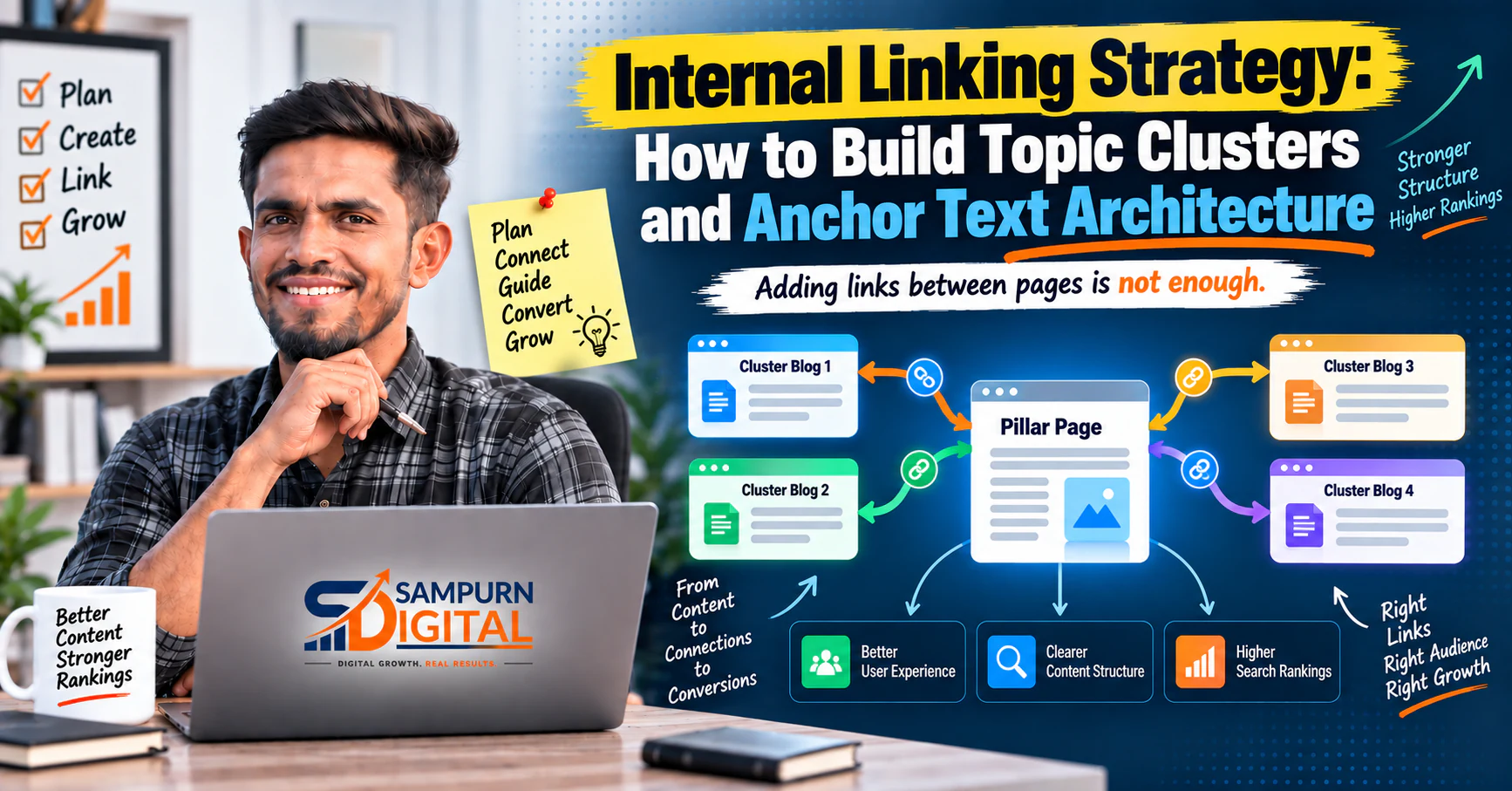
Internal links are one of the simplest parts of SEO to implement—and one of the easiest to get wrong.
Adding links between pages is not enough.
A useful internal linking strategy should help visitors discover the next relevant piece of information, clarify the relationship between pages, strengthen your website's content structure, and make important pages easier to reach.
For example, an article about keyword research may naturally lead to a guide about [pillar page architecture](https://www.sampurndigital.com/blog/seo/pillar-page-architecture-how-to-connect-2030-articles-around-one-topic), while an article about internal linking can lead readers toward an [internal linking audit](https://www.sampurndigital.com/blog/seo/internal-linking-audit-how-to-find-pages-with-too-few-or-too-many-links).
The objective is not to add as many links as possible.
The objective is to create useful connections between pages.
What Is Internal Linking?
An internal link is a hyperlink that connects one page on your website to another page on the same website.
For example:
If you are building a content cluster, you should first understand [how to build an SEO topic cluster from one core service](https://www.sampurndigital.com/blog/seo/how-to-build-an-seo-topic-cluster-from-one-core-service).
Both pages belong to the same website, so this is an internal link.
Internal links can connect:
- Blog articles
- Service pages
- Category pages
- Product pages
- Landing pages
- Resource pages
- Supporting guides
- Other important website sections
The important part is the relationship between the source page and destination page.
Why Internal Linking Matters for SEO
A website is not just a collection of individual pages.
Search engines need to understand how those pages relate to each other.
Users also need a way to move from one relevant topic to another.
A good internal linking structure can help create that relationship.
Think about the difference between these two websites.
Website A
Home | |-- Blog 1 |-- Blog 2 |-- Blog 3 |-- Blog 4 |-- Blog 5
The articles exist, but their relationships are unclear.
Website B
SEO Services | ├── SEO Audit │ ├── Technical SEO │ └── Indexing | ├── Keyword Research │ ├── Search Intent │ └── Keyword Mapping | └── Content Strategy ├── Topic Clusters ├── Pillar Pages └── Internal Linking
The second structure gives users and search engines a clearer picture of how the content fits together.
Internal Links vs External Links
The basic difference is simple.
Internal Link
Connects two pages on the same website.
Example:
`yourwebsite.com/page-a → yourwebsite.com/page-b`
External Link
Connects your website to a different domain.
Example:
`yourwebsite.com/page-a → anotherwebsite.com/page-b`
This article focuses on internal links because they are a core part of website architecture and content organization.
The 5 Jobs of a Good Internal Link
A useful internal link usually performs at least one of these jobs.
Continue the Topic
The destination answers the next logical question.
For example:
Keyword research helps identify valuable queries. The next step is to [build a keyword map for every important website page](https://www.sampurndigital.com/blog/seo/how-to-build-a-keyword-map-for-every-important-website-page).
The reader can continue learning without returning to a search engine.
Explain a Complex Concept
A page may mention something that requires deeper explanation.
Instead of adding a long explanation that interrupts the article, link to a dedicated resource.
Move the Reader Forward
Internal links can guide readers through a process.
For example:
This is especially useful for educational content clusters.
Two articles can address different questions but still belong to the same topic.
Internal links make that relationship discoverable.
Connect Informational Content With Commercial Pages
A visitor may start with an informational question and eventually need a service.
For example:
SEO Problem ↓ SEO Guide ↓ SEO Strategy ↓ SEO Services
This creates a natural path from education toward a business decision.
Start With the Content Relationship, Not the Link
A common mistake is opening an article and thinking:
"Where can I put an internal link?"
Start with a different question:
"What would help the reader understand or complete this topic?"
For example, if an article discusses keyword prioritization, relevant destinations might include:
- Search intent
- Keyword mapping
- Topic clusters
- SEO strategy
The links should emerge from the content.
They should not be inserted just because a target URL exists.
Build an Internal Linking Map Before Publishing
For larger websites, create a simple map.
| Source Page | Destination | Reason |
|---|---|---|
| Keyword Research | Keyword Mapping | Next implementation step |
| Keyword Mapping | Topic Clusters | Connect keywords to content architecture |
| Topic Clusters | Pillar Architecture | Build the central structure |
| Pillar Architecture | Internal Linking | Connect the cluster |
| Internal Linking | Linking Audit | Check the implementation |
This creates a logical progression.
It also makes it easier for developers and content teams to implement the strategy consistently.
Use Contextual Internal Links
Contextual links are links placed naturally inside the body of content.
For example:
Before creating supporting pages, learn [how to build an SEO topic cluster from one core service](https://www.sampurndigital.com/blog/seo/how-to-build-an-seo-topic-cluster-from-one-core-service).
The surrounding sentence explains why the destination is relevant.
This is much more useful than a block at the bottom saying:
Related Articles
Context should come first.
Use Descriptive Anchor Text
Anchor text is the clickable text of a link.
Compare:
[Click here](https://www.sampurndigital.com/blog/seo/internal-linking-audit-how-to-find-pages-with-too-few-or-too-many-links)
with:
[learn how to audit internal links across your website](https://www.sampurndigital.com/blog/seo/internal-linking-audit-how-to-find-pages-with-too-few-or-too-many-links)
The second anchor gives the reader much more information about the destination.
Good anchor text should be:
- Descriptive
- Natural
- Specific
- Relevant to the destination
- Easy to understand
Avoid using the exact same anchor phrase everywhere.
Don't Force Exact-Match Anchor Text
Suppose your destination page targets:
You don't need every link pointing to it with exactly those words.
You could naturally use:
- internal linking audit
- audit your internal links
- check your site's internal link structure
- find pages with too few internal links
- practical internal linking audit
The anchor should fit the sentence.
Natural language is more important than mechanically repeating a target keyword.
Link to the Most Relevant Destination
Don't link to a page just because it contains one matching keyword.
Look at the user's intent.
Suppose an article says:
Your website has hundreds of pages but some important URLs receive very few internal links.
A relevant destination could be an internal linking audit.
A generic SEO guide would be less useful.
The best destination answers the specific problem being discussed.
Build Links Around Topic Clusters
Internal linking becomes especially powerful when used with a topic cluster.
A simple structure looks like:
                SEO Services
                      |
         \---------------------------
         |            |            |
    Keyword        Content     Technical
    Strategy       Strategy       SEO
         |            |            |
   Keyword Map   Topic Cluster   Indexing
         |            |            |
         \-------- Internal Links \------
The pages aren't isolated.
They work together as a knowledge system.
For a larger cluster, understanding [pillar page architecture and how to connect 20–30 articles around one topic](https://www.sampurndigital.com/blog/seo/pillar-page-architecture-how-to-connect-2030-articles-around-one-topic) can help you design the structure before adding dozens of links.
Link From Broad Pages to Specific Pages
A broad page can introduce a concept and then send readers to a detailed resource.
For example:
The deeper pages provide more specific information.
This gives the reader a natural path from general understanding to detailed implementation.
Link From Specific Pages Back to Broader Pages
The flow should work in both directions.
A detailed article can link back to its broader topic when the reader needs more context.
For example:
Keyword mapping is only one part of a larger SEO content strategy. For the bigger picture, explore [SEO Services](https://www.sampurndigital.com/seo-services).
This helps readers who arrive directly on a detailed article understand the broader service or topic.
Create Horizontal Links Between Related Articles
Don't build only vertical links.
Related supporting articles can link to one another.
For example:
Keyword Research ↕ Search Intent ↕ Keyword Mapping ↕ Topic Clusters
These connections are useful because readers rarely follow a perfectly linear journey.
Someone reading about keyword mapping may suddenly need information about search intent.
Someone reading about topic clusters may need to understand keyword research.
Good internal linking accommodates those paths.
Use Internal Links to Support the Customer Journey
A business website should not treat every page as an isolated SEO asset.
Think about the visitor's progression.
Stage 1: Problem
"My website isn't getting traffic."
Stage 2: Diagnosis
"What is wrong?"
Stage 3: Strategy
"What should I build?"
Stage 4: Implementation
"How do I do it?"
Stage 5: Improvement
"How do I make it perform better?"
Stage 6: Commercial Decision
"Should I get professional help?"
Internal links can connect these stages.
That makes the content system more useful to actual customers.
How Many Internal Links Should a Page Have?
There is no universal number that every page should follow.
A practical content strategy may use around 7–8 contextual internal links per article as a planning target, but relevance matters more than hitting a fixed number.
A long, comprehensive article may naturally require more.
A short article may need fewer.
Don't add links simply to reach a quota.
Instead ask:
- Does this link help?
- Is the destination relevant?
- Does the reader have a reason to follow it?
- Does the link improve the content's structure?
If the answer is no, don't add it.
Avoid Overloading a Paragraph With Links
Consider this:
SEO requires keyword research, search intent, keyword mapping, topic clusters, pillar pages, internal linking, technical SEO, content audits and conversion optimization.
If almost every phrase is linked, the paragraph becomes difficult to read.
Instead, introduce links where the reader actually needs the additional information.
Good internal linking improves navigation without turning the article into a collection of hyperlinks.
Don't Use the Same Destination Repeatedly Without a Reason
If a page already links to your SEO Services page several times, adding another link to the same destination may not add much value.
Think about the purpose of every link.
One strong contextual link can be more useful than several repetitive links.
Link Important Pages From Relevant Content
Some pages matter more to the business.
These might include:
- Core service pages
- Revenue-generating landing pages
- Important category pages
- Strategic guides
- High-value conversion pages
Your content should provide relevant pathways to those pages.
For example, SEO educational content can naturally connect readers to [SEO Services](https://www.sampurndigital.com/seo-services) when they are ready to explore professional support.
The connection should still make sense in context.
Don't Forget Existing Content
Internal linking isn't only a publishing task.
When you create a new article, revisit relevant older pages.
Ask:
"Where does this new article belong within the existing content system?"
Then identify older pages where the new resource genuinely adds value.
This is often easier than trying to build every connection from scratch.
Create a New-Article Internal Linking Workflow
Every time you publish an article, follow this process.
Identify the Primary Topic
What is the article fundamentally about?
Identify Supporting Concepts
What related subjects are discussed?
Find Existing Relevant Pages
Search your website for pages covering those concepts.
Add Contextual Links
Place links where the destination helps explain the current topic.
Link to the Parent Topic
Connect the article to its broader category, cluster or pillar where appropriate.
Add Commercial Links
If there is a natural business-related next step, connect the reader to the relevant service page.
Review the New Article From the Reader's Perspective
Ask:
"If I read this article from beginning to end, are the recommended next steps obvious?"
Use Internal Linking to Strengthen Orphan Pages
An orphan page is a page that has no meaningful internal links pointing toward it.
This can happen when:
- A new article is published
- Old content is forgotten
- A URL is removed from navigation
- A large content library grows without maintenance
Important pages should not be left disconnected.
If you are auditing the structure, use [a practical internal linking audit guide](https://www.sampurndigital.com/blog/seo/internal-linking-audit-how-to-find-pages-with-too-few-or-too-many-links) to systematically identify weak areas.
Think About Link Distribution
Not every page deserves the same number of internal links.
Consider a website with:
500 pages
If most internal links point toward a small group of pages while strategically important content receives almost none, the architecture may be unbalanced.
Look for:
- Important pages with few incoming links
- Pages receiving excessive repetitive links
- Orphan pages
- Deep pages that are difficult to reach
- Clusters with weak connections
- Articles with no links to relevant next steps
The objective is not equal distribution.
The objective is useful distribution.
Internal Linking and Website Architecture
Internal linking is closely connected with navigation, URL structure and content hierarchy.
For example:
Homepage ↓ Service ↓ Category ↓ Supporting Article ↓ Detailed Resource
If the content structure and website structure contradict each other, users can have difficulty understanding where they are.
For a broader technical view, see the [website SEO architecture audit covering URLs, navigation, links and content hierarchy](https://www.sampurndigital.com/blog/web-development/website-seo-architecture-audit-urls-navigation-links-and-content-hierarchy).
Internal Linking for Service Websites
Service businesses need to be particularly careful about the relationship between informational and commercial pages.
For example:
Blog Article ↓ Problem Guide ↓ Implementation Guide ↓ Service Page
A visitor might first discover your website through an informational search.
They may not be ready to contact you immediately.
Useful internal links let them move toward a solution naturally.
This creates a better experience than placing an aggressive sales CTA after every paragraph.
Internal Linking for Lead Generation
Internal linking can also support conversion paths.
Imagine someone lands on an article about SEO problems.
They read:
- Why traffic is low
- How to diagnose the issue
- What should be fixed
- How to build a stronger SEO system
At the appropriate point, they can discover the relevant service.
For a service business, the wider website architecture should support this transition. A useful resource on [lead generation website architecture for service businesses](https://www.sampurndigital.com/blog/web-development/lead-generation-website-architecture-for-service-businesses) can help connect SEO content structure with conversion-focused website planning.
A Practical Internal Linking Framework
Use this simple framework for every article.
Parent Link
Where does this article belong?
Link to the broader topic or pillar.
Previous-Step Link
What should the reader understand before this article?
Link backward when useful.
Next-Step Link
What should the reader do next?
Link forward.
What nearby concepts help the reader?
Add contextual horizontal links.
Commercial Link
Is there a relevant service or conversion page?
Add it when appropriate.
This produces a balanced internal linking system.
Example: Internal Linking for an SEO Article
Suppose the article is:
A logical structure could be:
Keyword Research ↓ Keyword Mapping ↓ Topic Clusters ↓ Pillar Architecture ↓ Internal Linking
The article could therefore link to:
- Keyword research
- Keyword cannibalization
- Topic clusters
- Pillar architecture
- Internal linking
- Website architecture
- Lead generation architecture
- SEO Services
Each link has a different reason for existing.
That is much stronger than inserting eight unrelated SEO links.
How to Audit Your Internal Links
Run an audit periodically.
Create a spreadsheet containing:
| URL | Incoming Links | Outgoing Links | Important? | Action |
|---|---|---|---|---|
| Service Page | 18 | 12 | Yes | Maintain |
| Article A | 2 | 4 | Yes | Add links |
| Article B | 0 | 3 | Yes | Find incoming links |
| Article C | 25 | 2 | Medium | Review |
| Article D | 8 | 7 | Yes | Maintain |
You don't need to obsess over a perfect number.
Use the data to identify structural problems.
Internal Linking Audit Checklist
- Can important pages be reached through internal links?
- Are there orphan pages?
- Are important resources buried too deeply?
Relevance
- Does every contextual link have a clear reason?
- Does the destination actually answer the surrounding topic?
Anchor Text
- Is the anchor descriptive?
- Is it natural?
- Are exact-match anchors being overused?
- Are generic anchors being avoided?
Structure
- Does supporting content connect to the parent topic?
- Are related articles connected horizontally?
- Are commercial pages connected where appropriate?
Distribution
- Which pages have very few incoming links?
- Which pages receive excessive repetitive links?
- Are important pages receiving sufficient contextual support?
User Experience
- Do links help the reader?
- Are there too many links in individual sections?
- Does the linking interrupt readability?
Common Internal Linking Mistakes
Mistake 1: Adding Links Just to Increase Link Count
More links do not automatically mean better internal linking.
Mistake 2: Using "Click Here"
The anchor doesn't tell the reader what they will find.
Use descriptive text instead.
Mistake 3: Linking Unrelated Articles
A link should have a meaningful contextual relationship.
Mistake 4: Using the Same Anchor Everywhere
Vary the wording naturally.
Mistake 5: Linking Only New Content
Older pages can also be updated with relevant links to newer resources.
Mistake 6: Ignoring Commercial Pages
Informational content should have appropriate paths toward important business pages.
Mistake 7: Ignoring Orphan Pages
A useful article that nobody can discover through the site's internal structure has a navigation problem.
Mistake 8: Treating Internal Links as a Separate SEO Task
Internal linking should be part of content planning, publishing and ongoing maintenance.
The 10-Minute Internal Link Test
Before publishing an article, ask these ten questions:
- What is the main topic of this article?
- What broader page should it connect to?
- What related article should readers read next?
- What prerequisite concept should readers understand?
- What implementation resource would help?
- Is there a relevant commercial page?
- Are all anchors descriptive?
- Are any links forced?
- Are important existing pages linked where appropriate?
- Does the complete link structure make sense to a real reader?
If you can answer these questions clearly, your internal linking is probably serving a real purpose.
A Simple Internal Linking Workflow for Your Content Team
Use this process consistently.
Keyword Research ↓ Content Mapping ↓ Article Brief ↓ Identify Related Pages ↓ Write Article ↓ Add Contextual Internal Links ↓ Link to Parent/Pillar ↓ Add Relevant Commercial Path ↓ Publish ↓ Update Older Related Articles ↓ Audit Periodically
This turns internal linking from a last-minute SEO task into part of your publishing system.